Functional DemoMarketplace

Crew Tracker

A two-sided marketplace where offices post jobs and crews bid, get awarded, and get scheduled.
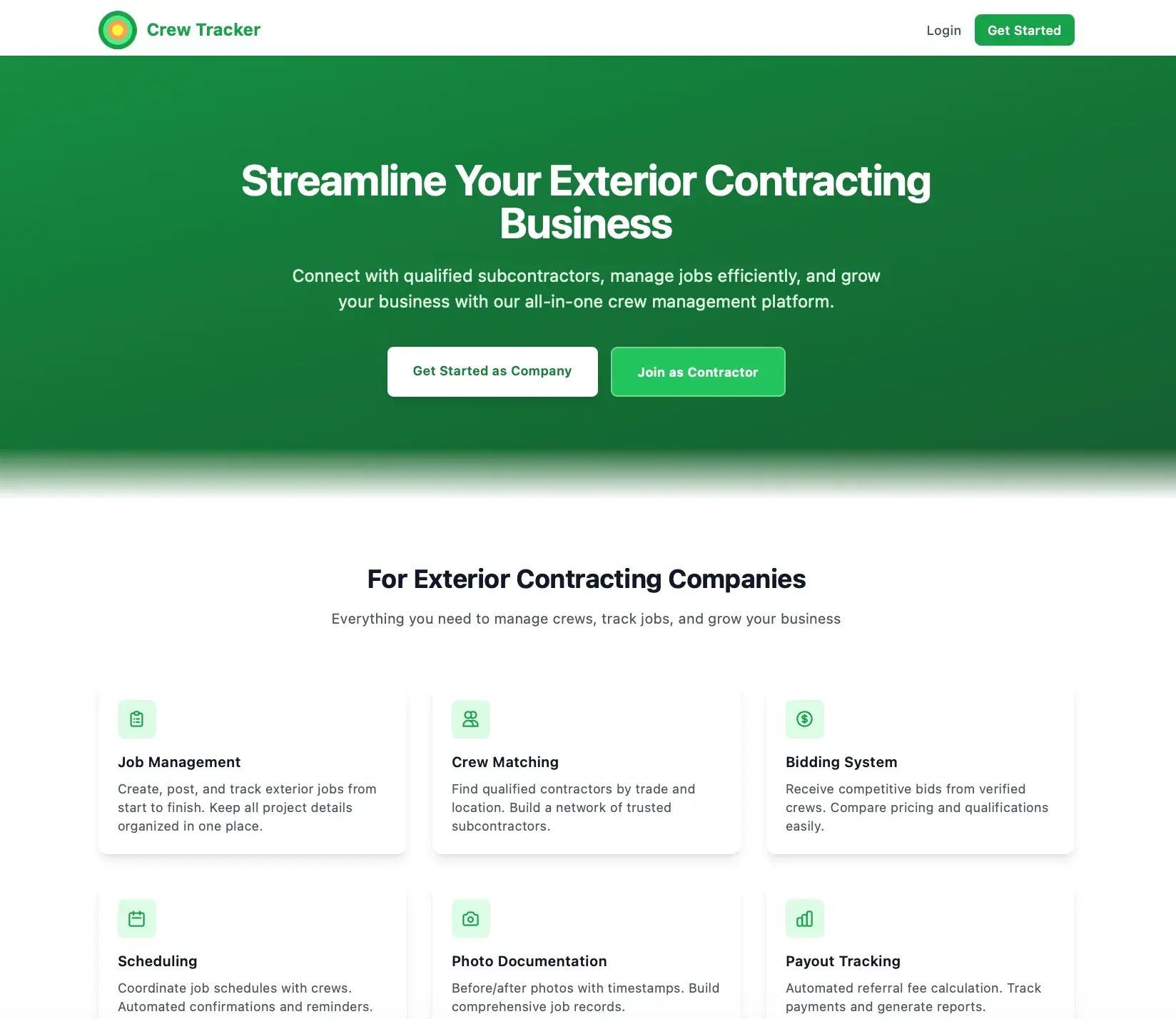
Crew Tracker marketing landing page headlined Streamline Your Exterior Contracting Business with feature cards for job management, crew matching, and bidding
Crew Tracker landing page

What it solves

Coordinating outside crews for home-service jobs is fragmented. Finding qualified crews by trade and service area, collecting and comparing bids, awarding work, scheduling, gathering job photos, and tracking referral fees usually happens across phone, text, and spreadsheets, with no shared record or enforcement of who can see what.

Built for Home-service offices posting jobs and the outside crews that bid on and complete them.

Overview

Crew Tracker is a two-sided workflow with separate portals over one backend. On the internal side, offices post jobs, review crew applications, invite eligible crews matched by trade and zip coverage, compare bids, and award work. Awarding a job automatically creates a payout record with a 3% referral fee. Crews apply and get verified, set trades and service areas, view invited and eligible jobs, submit bids, confirm schedules, upload categorized job photos, and track earnings. Internal users can export a supplement package of job photos and summary data.

What this demonstrates

Server-enforced role-based access and org and crew scoping across two distinct portals sharing one backend, with ownership checks to prevent cross-tenant access. An eligibility engine matching crews to jobs by trade and zip coverage, a bid-to-award flow that auto-creates a referral-fee payout ledger, categorized photo uploads, and a supplement-package export that zips photos and job summary data.

What makes it different

A two-sided crew marketplace: post a job on one side, bid and get awarded on the other, with a 3% referral fee tracked end to end.

  • Two portals, one backendInternal job-poster portal and standalone contractor portal share the same API.
  • Server-enforced RBACOrg and crew scoping with ownership checks, not UI-only guards.
  • Eligibility matchingCrews matched to jobs by trade and zip coverage.
  • Automatic payout on awardAwarding a bid creates a payout with a 3% referral fee.
  • Audit trailMajor actions such as bids, awards, and schedule changes are logged.

Core capabilities · 12

  • Crews directory

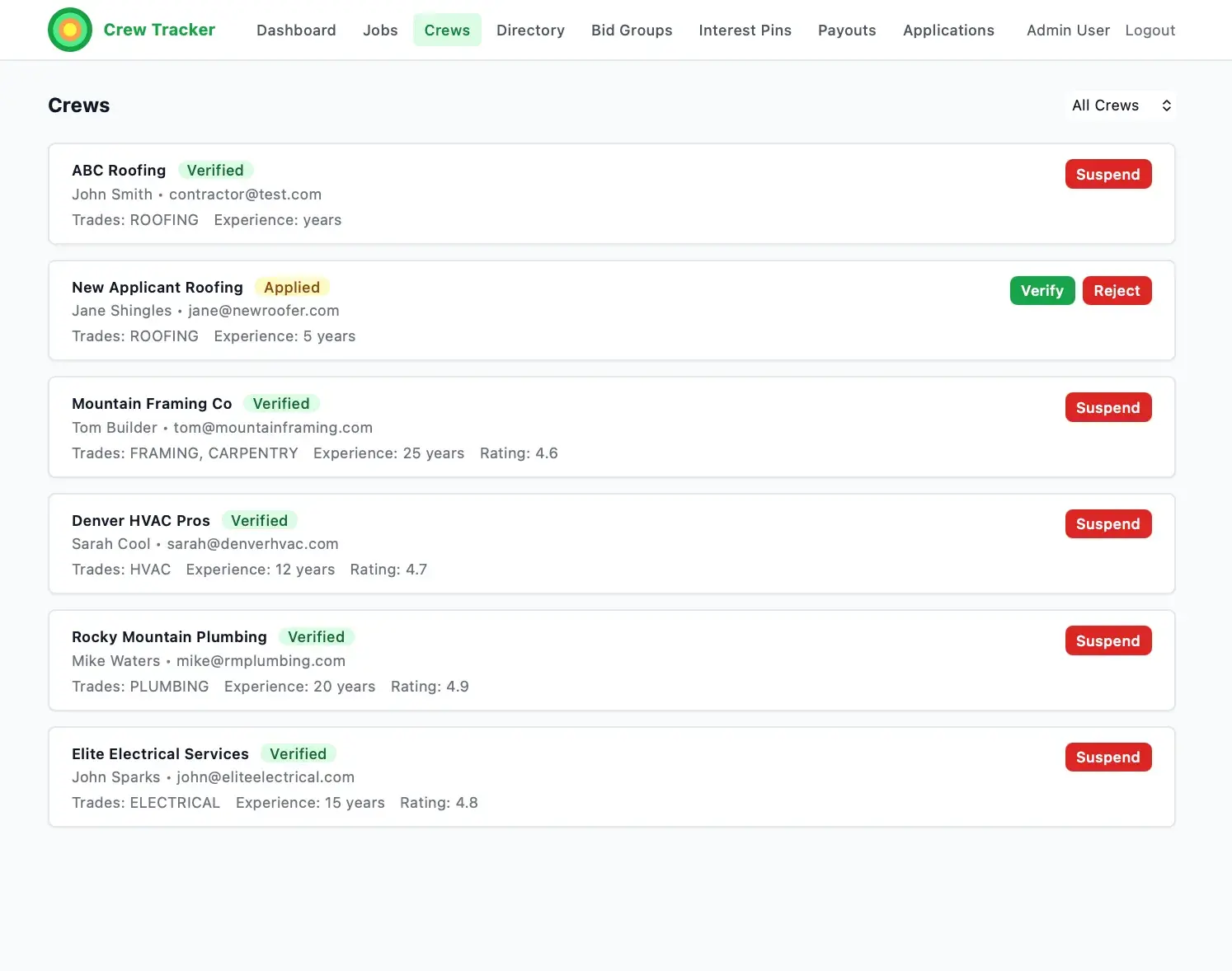
    Filter crews by zip, trade, status, and rating; verify, deny, or suspend.

  • Applications queue

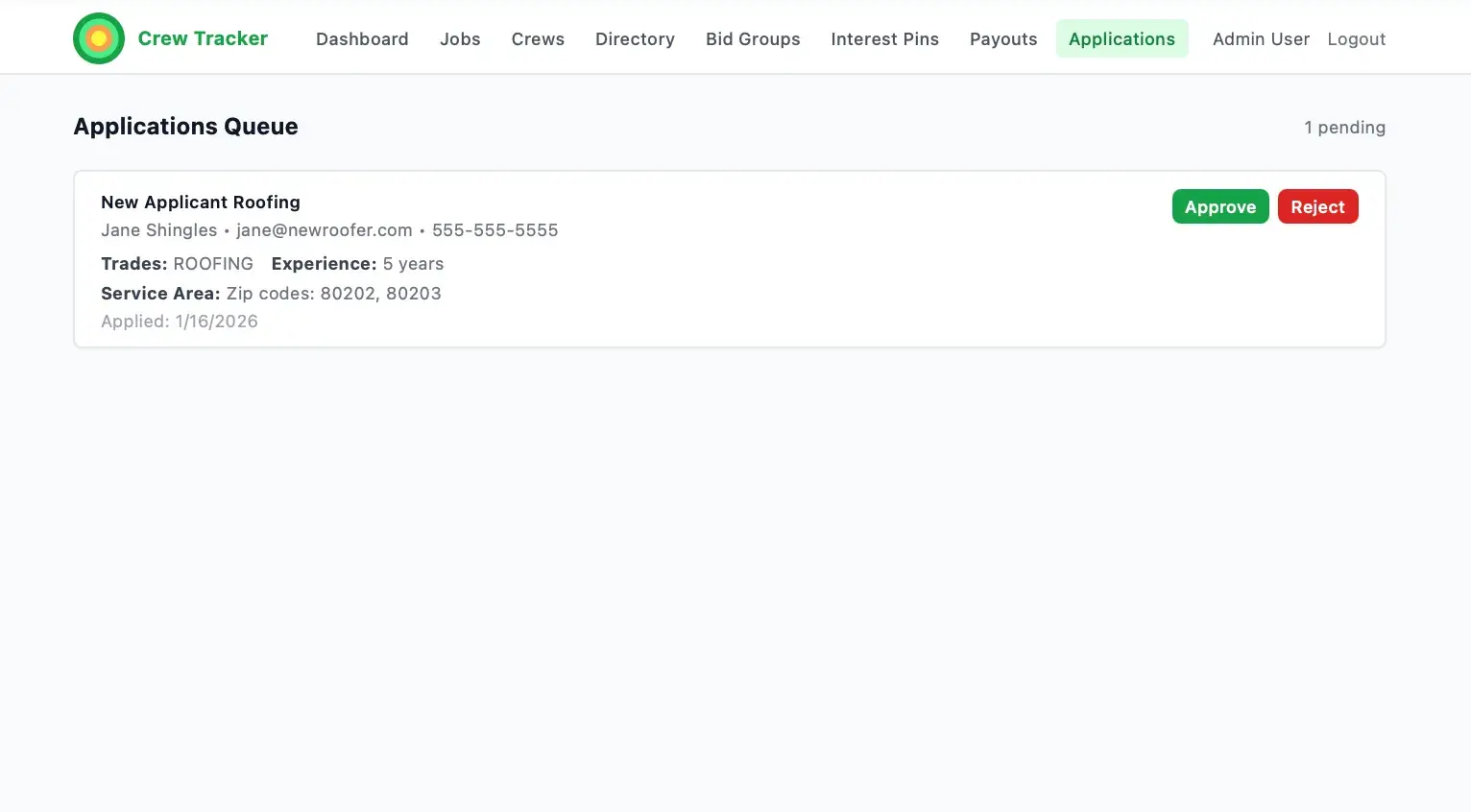
    Review, approve, or deny incoming crew applications.

  • Jobs

    Create and manage jobs in Kanban and table views.

  • Eligibility matching and invites

    Match crews by trade and zip, then invite selected or all eligible.

  • Bidding

    Crews submit bids; offices compare amount, start date, and rating.

  • Award and payout

    Awarding sets winning and rejected bids and creates a 3% fee payout.

  • Scheduling coordination

    Propose, confirm, reschedule, or cancel schedule events.

  • Photo uploads

    Categorized before, during, after, damage, and receipt photos.

  • Supplement package export

    Zip categorized photos with a job summary for a claim package.

  • Payout and fee ledger

    Track fees through pending, invoiced, paid, disputed, and waived.

  • Contractor profile

    Trades, service zip coverage, and documents per crew.

  • Earnings tracking

    Crews see awarded totals, fees owed, net, and payout status.

How it works

Job poster (office)

  1. Post a job with trade, address, and scope
  2. Invite eligible crews matched by trade and zip
  3. Review and compare incoming bids
  4. Award the winning bid
  5. Coordinate the schedule
  6. Collect categorized job photos
  7. Export the supplement package
  8. Manage the payout and fee ledger

Contractor (crew)

  1. Apply and get verified
  2. Set trades and service areas
  3. View invited and eligible jobs
  4. Submit a bid
  5. Confirm or request to reschedule
  6. Upload job photos
  7. Track earnings, fees, and payout status

Key screens

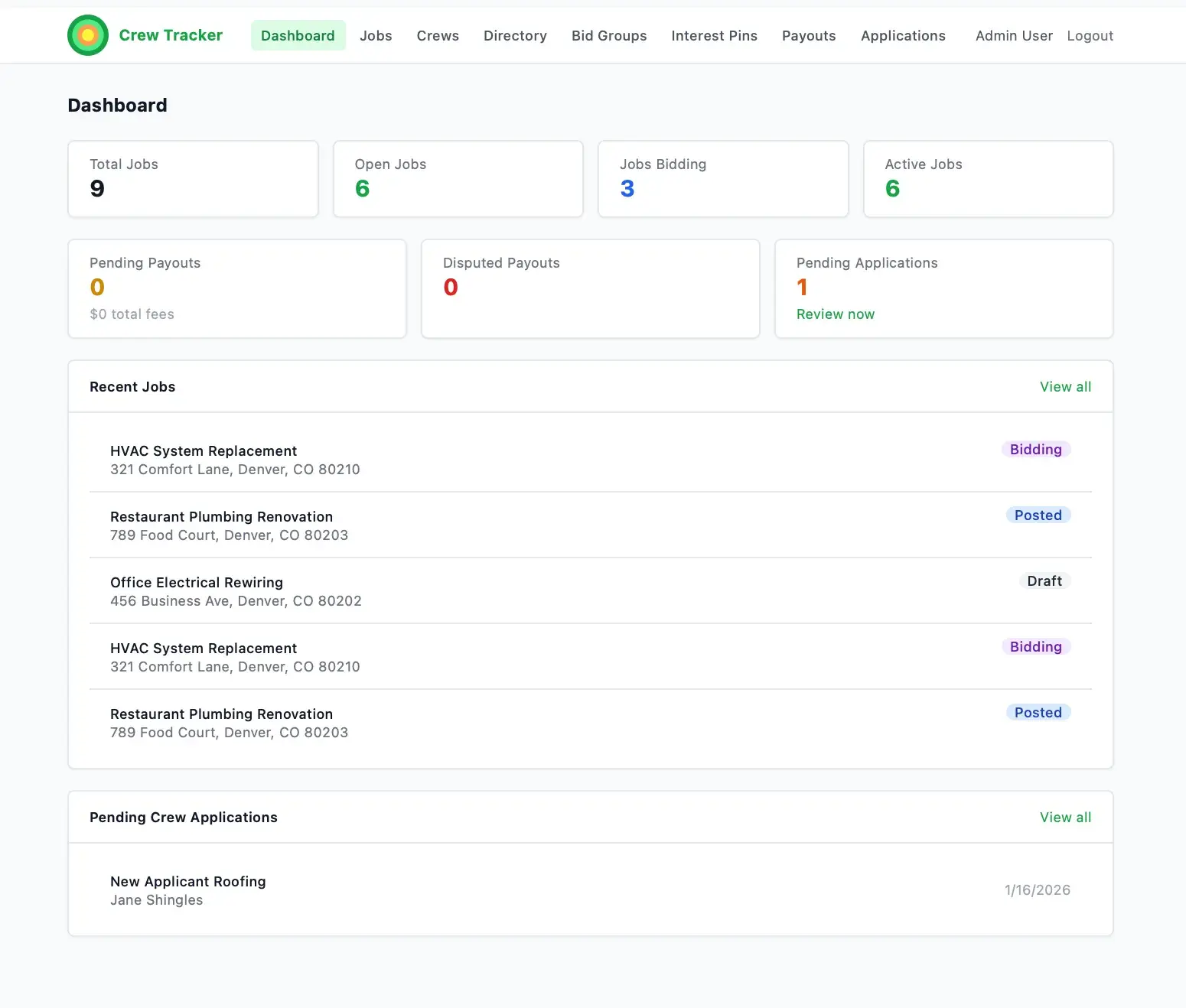
  • DashboardInternal overview of crews, jobs, bids, and pending payouts.
  • Crews DirectoryFilterable crew table with verify, deny, and suspend actions.
  • Applications QueueReview and approve or deny crew applications.
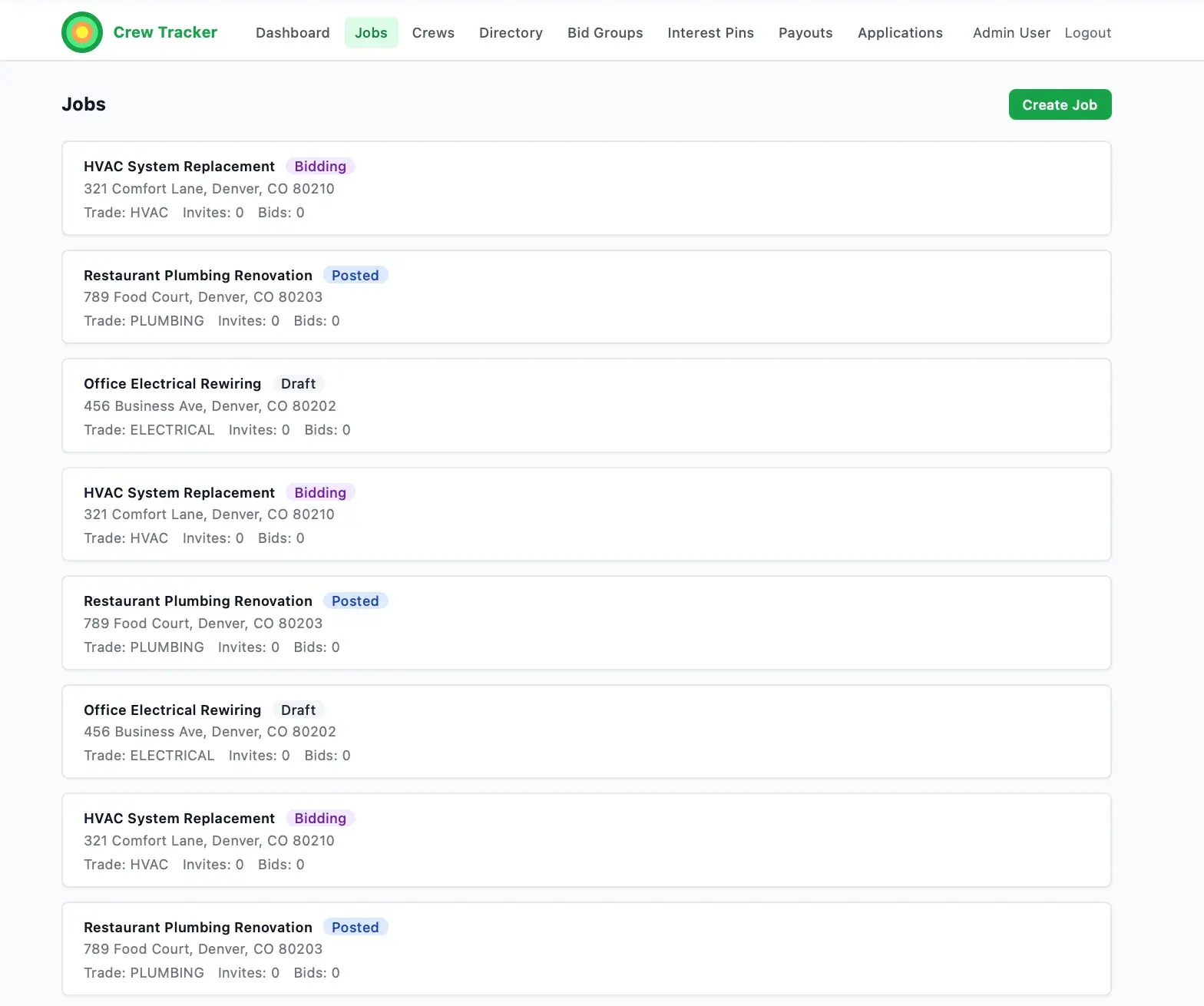
  • JobsKanban and table views of jobs by status.
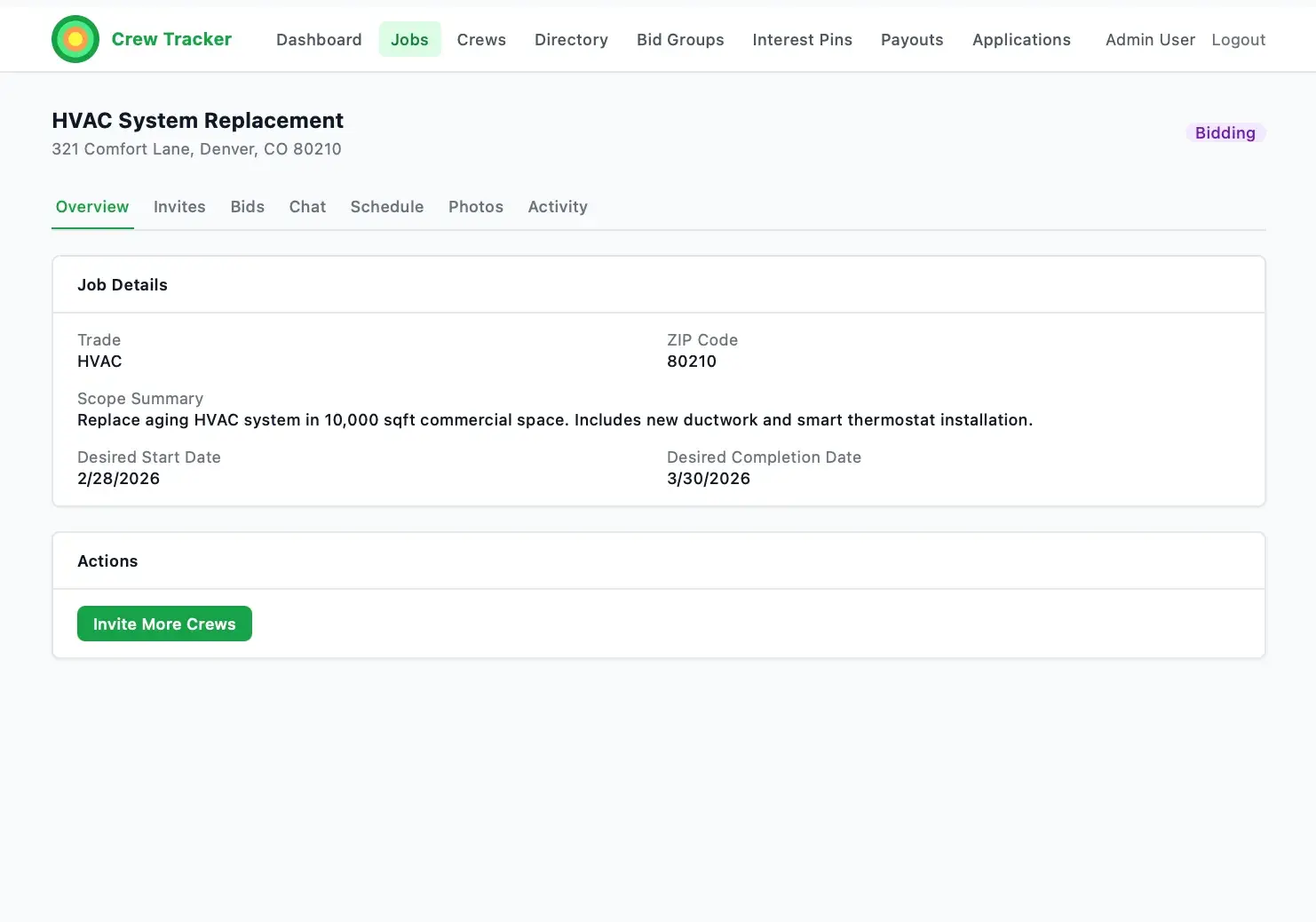
  • Job DetailTabbed overview, bids, schedule, updates, photos, export, and fees.
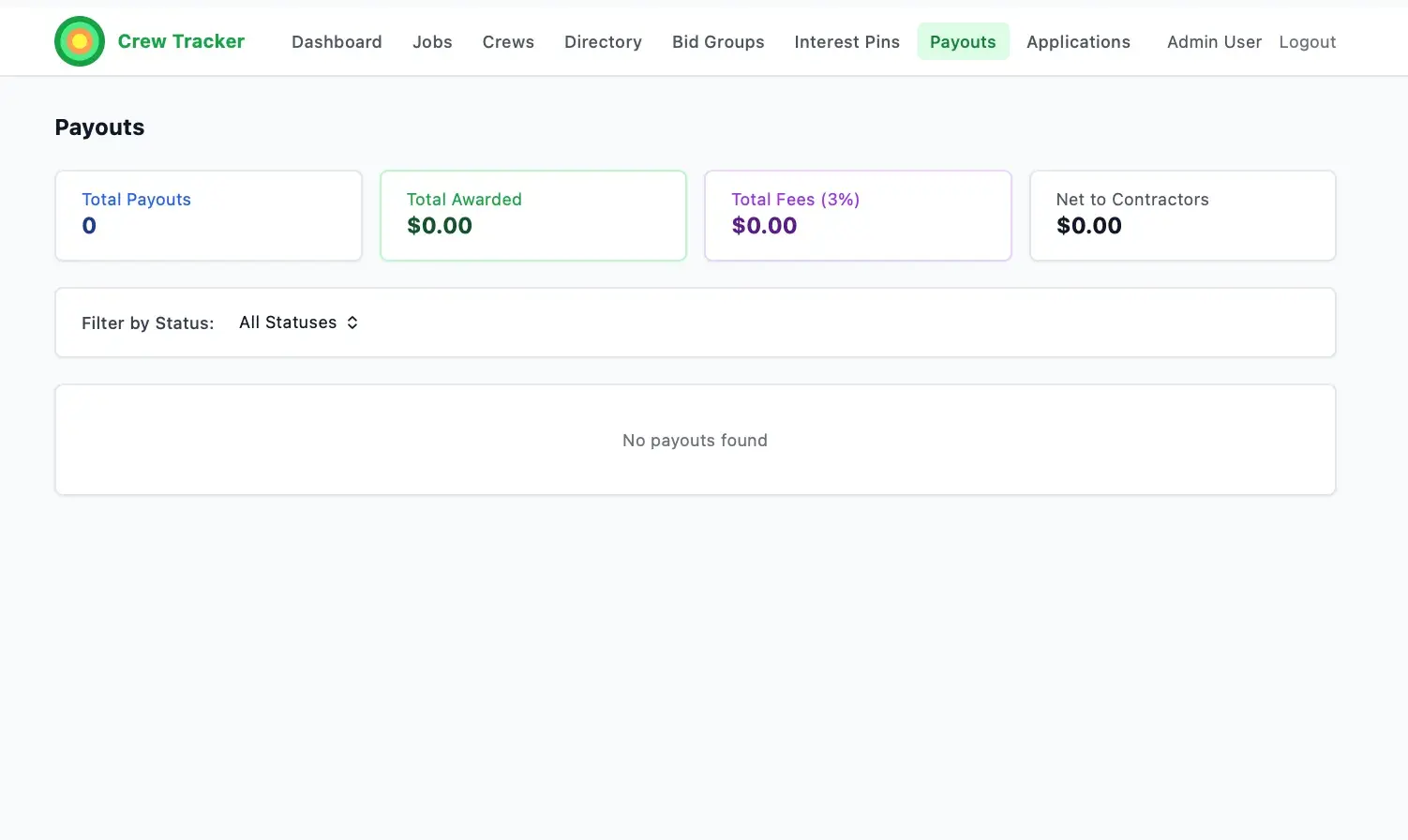
  • Payouts and Fees LedgerFilterable fee records with status controls.
  • Contractor DashboardInvites, active jobs, and earnings summary.
  • Crew ProfileTrades, zip coverage, and documents.
  • Contractor JobsInvited, eligible, awarded, active, and completed tabs.
  • EarningsAwarded amount, 3% fee, net, and payout status per job.

Data model

  • Organization
  • User
  • Crew
  • CrewApplication
  • Job
  • JobInvite
  • Bid
  • Award
  • ScheduleEvent
  • JobUpdate
  • JobPhoto
  • Payout
  • Rating
  • JobMessage
  • CrewPortfolio
  • BidGroup
  • InterestPin

Screens · 8

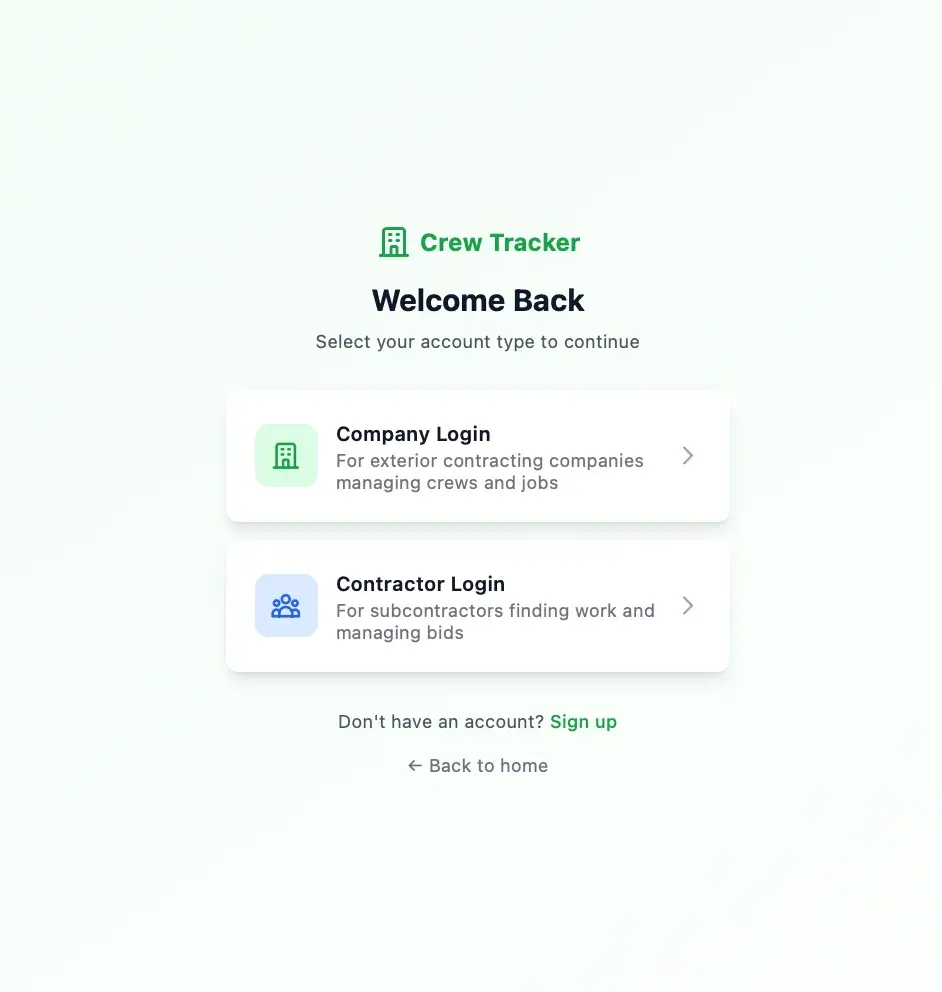
Crew Tracker login screen prompting to select an account type, with Company Login and Contractor Login options
Account-type login selection
Crew Tracker admin dashboard with stat tiles for total, open, bidding, and active jobs, plus recent jobs and pending crew applications lists
Admin dashboard with job stats
Crew Tracker Jobs list showing HVAC, plumbing, and electrical jobs with status badges (Bidding, Posted, Draft) and a Create Job button
Jobs list with status badges
Crew Tracker job detail for HVAC System Replacement showing trade, ZIP, scope summary, desired dates, and an Invite More Crews action
Job overview detail
Crew Tracker Crews list with verified and applied subcontractors showing trades, experience, ratings, and Suspend or Verify/Reject actions
Crews list with verification actions
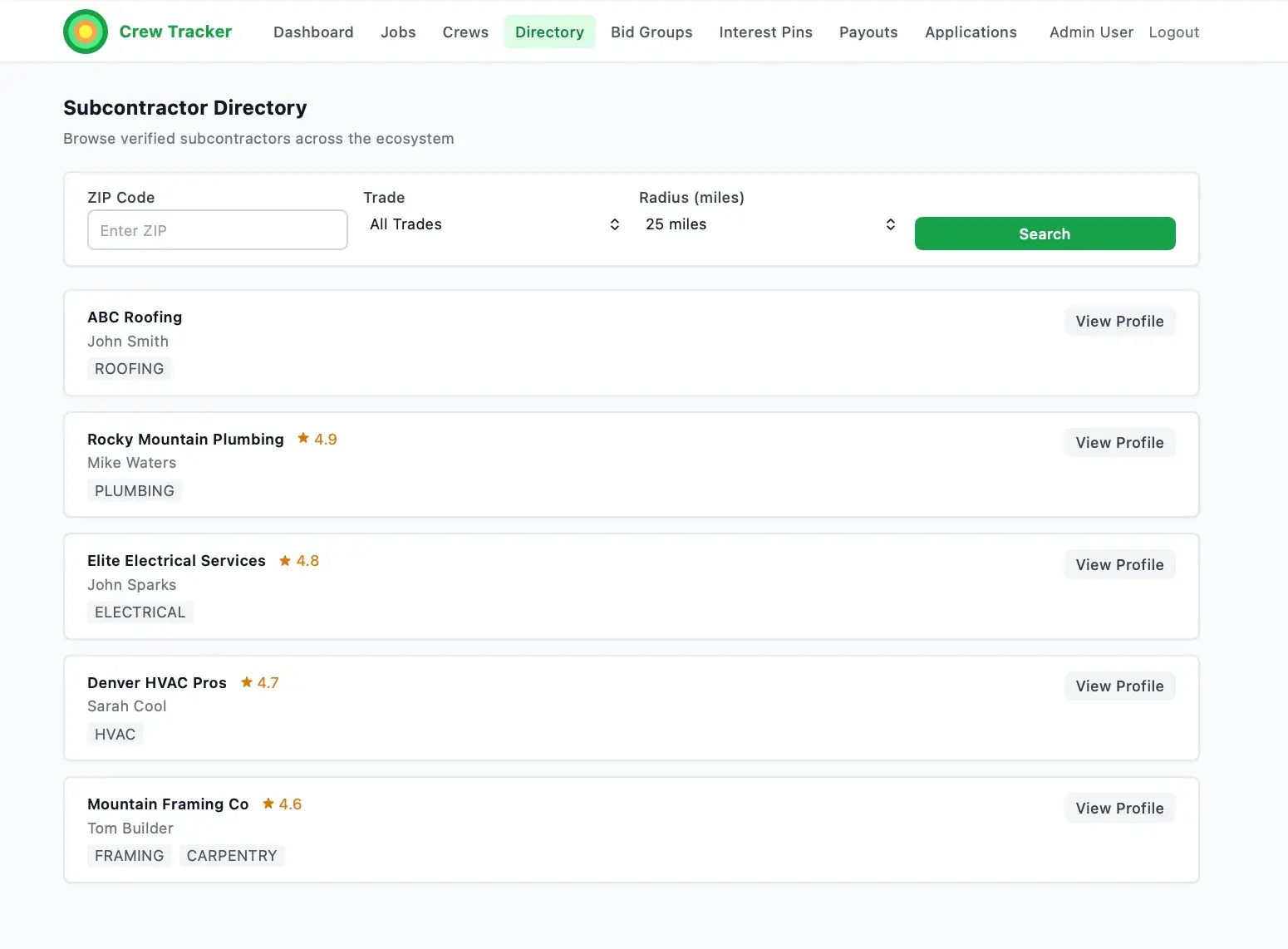
Crew Tracker Subcontractor Directory with ZIP, trade, and radius search filters and cards for verified subcontractors with ratings and View Profile buttons
Subcontractor directory with search filters
Crew Tracker Payouts page with summary tiles all at zero (total payouts, awarded, 3% fees, net to contractors) and a No payouts found empty state
Empty payouts page
Crew Tracker Applications Queue showing one pending application from New Applicant Roofing with Approve and Reject buttons
Applications queue with one pending

How it is built

An Express and Prisma backend on PostgreSQL enforces RBAC and tenant scoping, handling applications, jobs, bids, awards, scheduling, photos, and the payout ledger. Job photos are uploaded via Multer and supplement packages are zipped with Archiver. A React and Vite frontend styled with Tailwind CSS serves both the internal plugin portal and the standalone contractor portal over an Axios API client, with JWT auth.

Classification

Industries
Home Services

Related work

PermitPilot AI

Functional Demo

AI permit preparation and tracking that moves contractors from project details to permit-ready packets.

CRM Empire

Functional Demo

Central CRM that unifies a cluster of home-service apps under one role-based platform.

Building something with similar Authentication, Role-Separated Interfaces, Multi-Tenant Architecture functionality?

Start a project and reference this one — the conversation begins with what you have already seen.

Start a project