 Built In Oasis

SiteFlow Daily
In DevelopmentVisual jobsite handoff and project timeline platform for construction crews and management.
Simple PTO request and approval workflow for small teams, with secure one-click approval links.
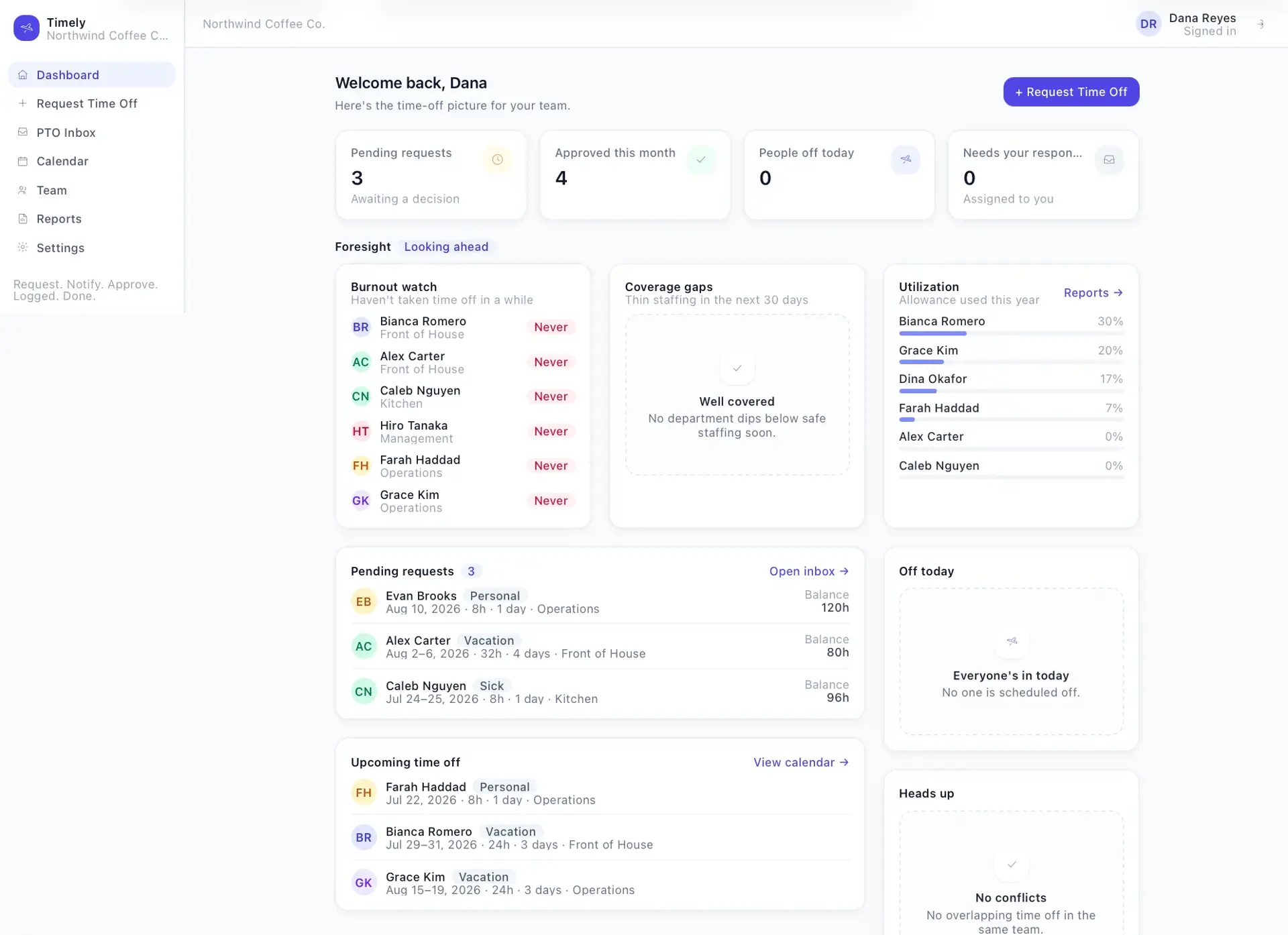
Small teams handle time-off through texts, verbal requests, emails, sticky notes, and spreadsheets. Requests get lost, managers forget to respond, employees never learn if they are approved, PTO records stay unclear, and too many people can end up off at the same time.
Built for Small businesses and their managers, including contractors, home service companies, agencies, restaurants, warehouses, and startups.
Admins add employees, employees submit PTO requests, and each request appears in an inbox and notifies the assigned manager. Managers approve or deny in the app or through secure one-time approval links sent by email, the decision is recorded, and the employee is notified. A calendar shows who is off and when, and the app tracks simple PTO balances, conflict warnings against departments, blackout dates, and holidays, minimum-notice rules, settings, and CSV reports. It is deliberately scoped to stay a simple approval tool rather than a full HR platform.
Implements a secure one-time approval-token workflow with expiry and single-use enforcement that records who decided and when, simple PTO balance and accrual tracking, conflict detection across overlaps, blackout dates, holidays, and notice rules, company-scoped multi-tenant isolation, and a notification-provider abstraction.
Simple PTO approvals for small teams — request, notify, approve, logged, done, without becoming a full HR platform.
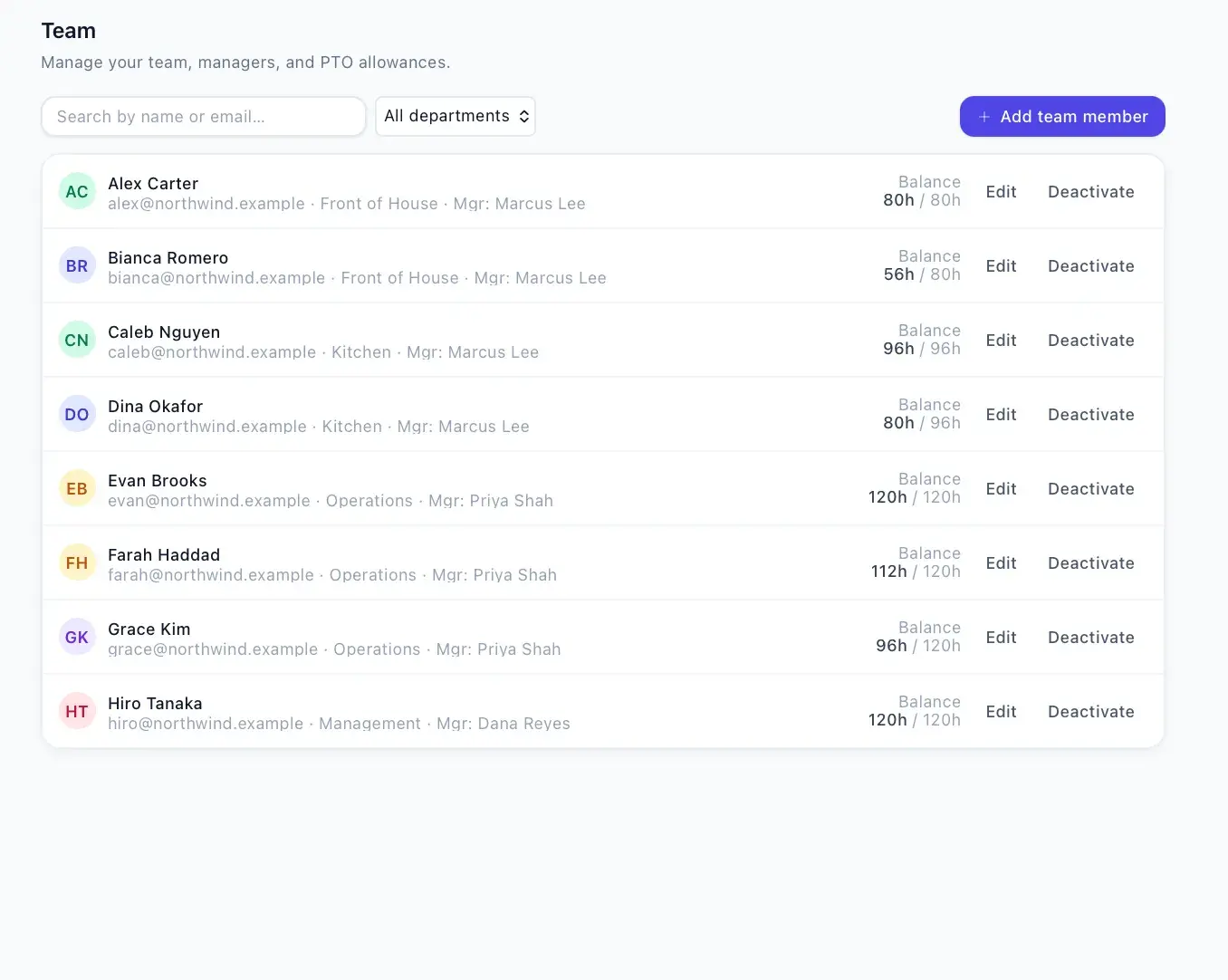
Employee directory
Add, edit, deactivate employees, assign managers, and set PTO allowances.
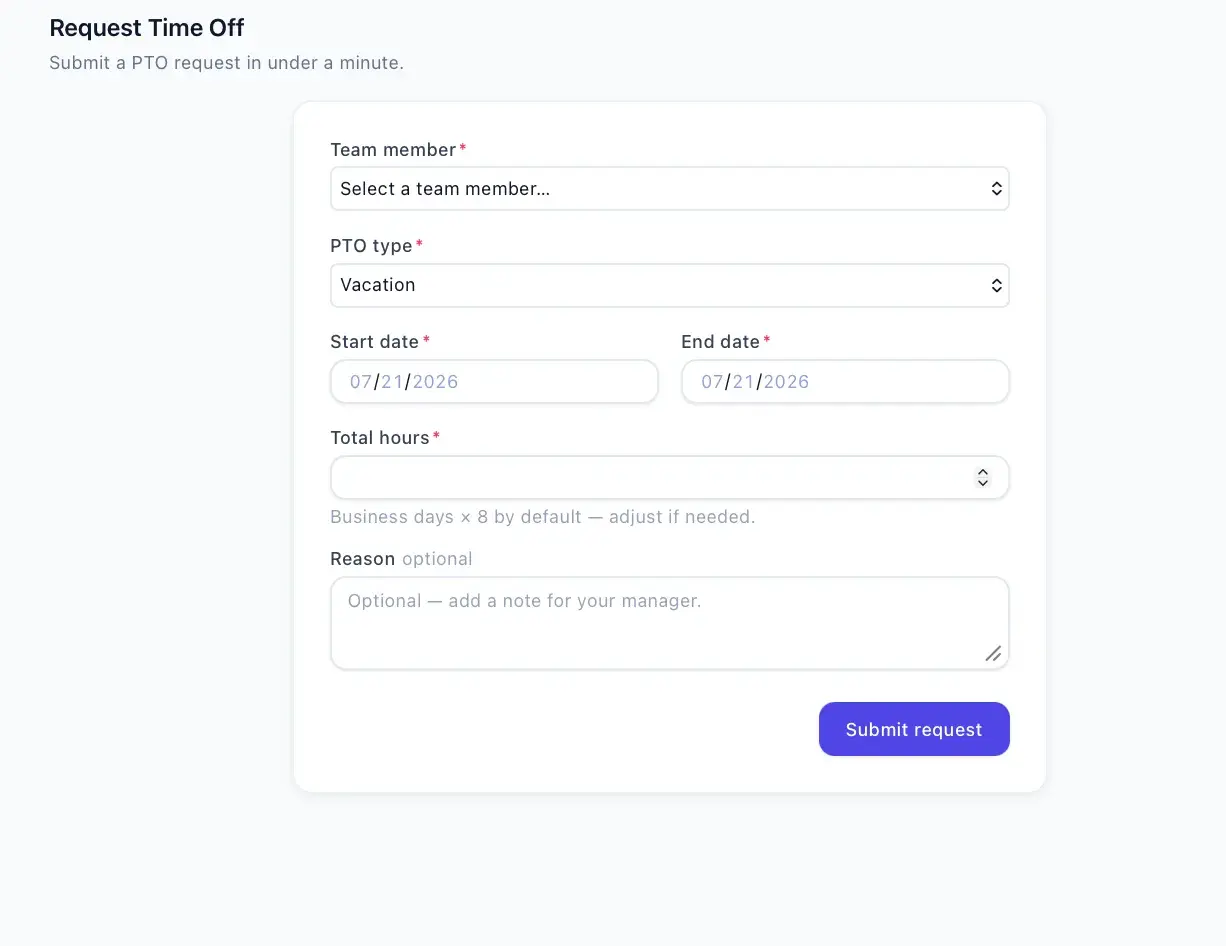
PTO request form
Simple form for type, dates, hours, and optional reason.
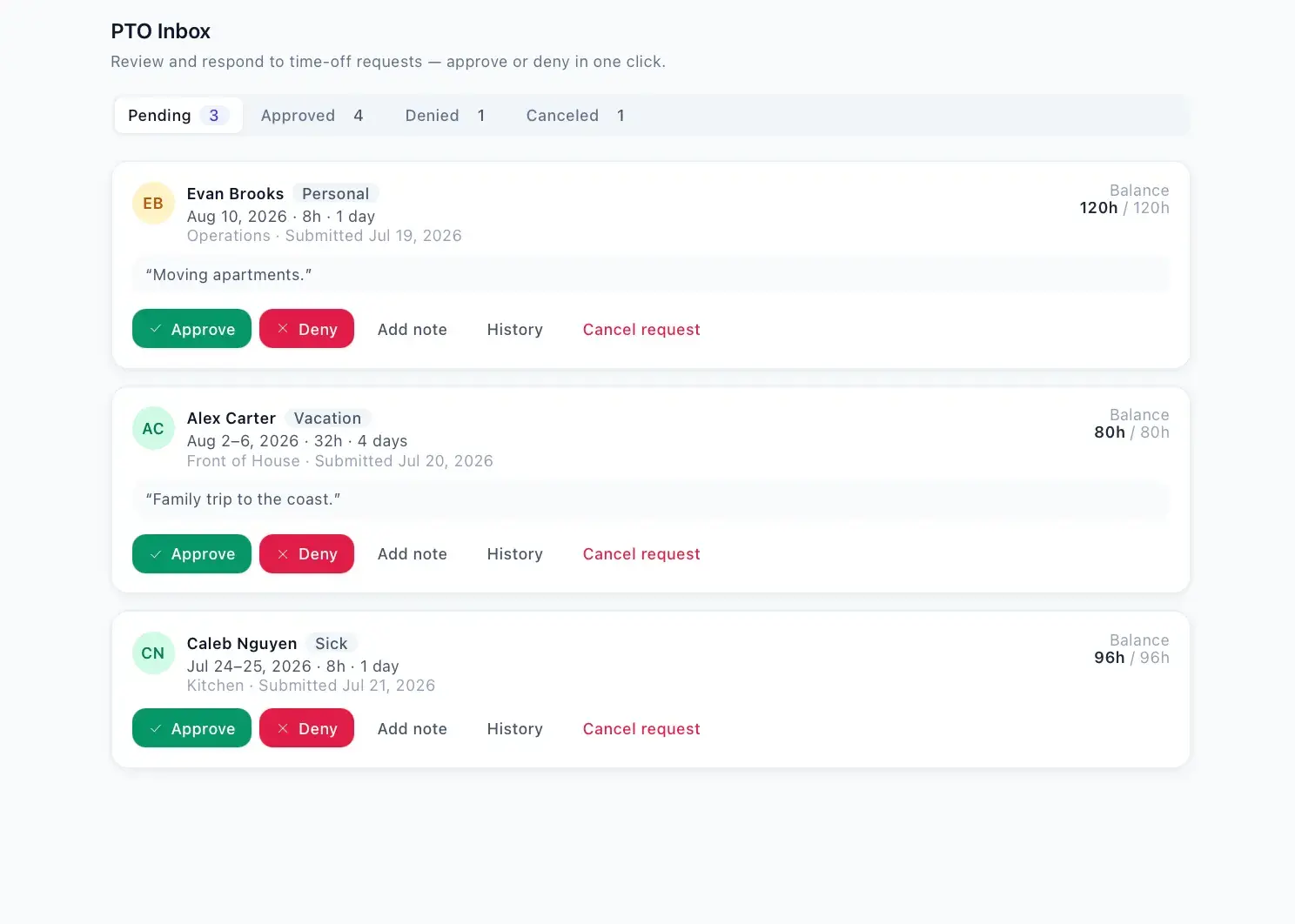
PTO inbox
One place to review pending, approved, denied, and canceled requests.
Approve/deny workflow
Records the decision, who made it, and when.
Secure approval linksOne-time tokens
Approve or deny from email without opening the app.
Email notifications
Notifies the assigned manager when a request is submitted.
SMS-ready message structure
Copyable SMS-ready message, with Twilio reply approval planned later.
Employee decision notifications
Notifies the employee in plain English when approved or denied.
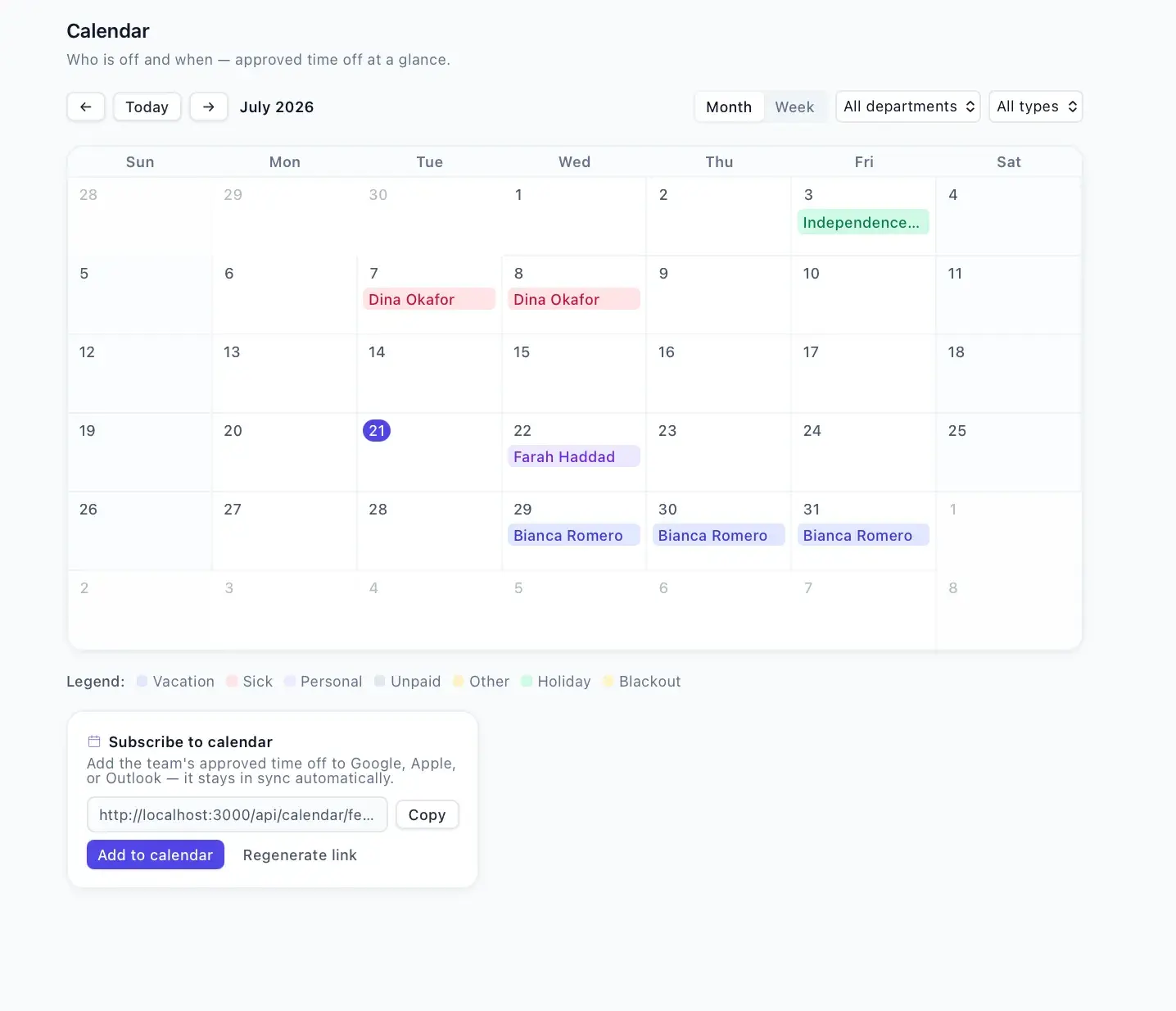
PTO calendar
Monthly and weekly views of who is off, filterable by department and type.
PTO balance tracking
Deducts approved time, restores on cancel, warns when over balance.
Conflict alerts
Flags overlapping department time off, blackout dates, holidays, and notice rules.
Company holidays
Configured holidays shown on the calendar.
Blackout dates
Date ranges that trigger conflict warnings on requests.
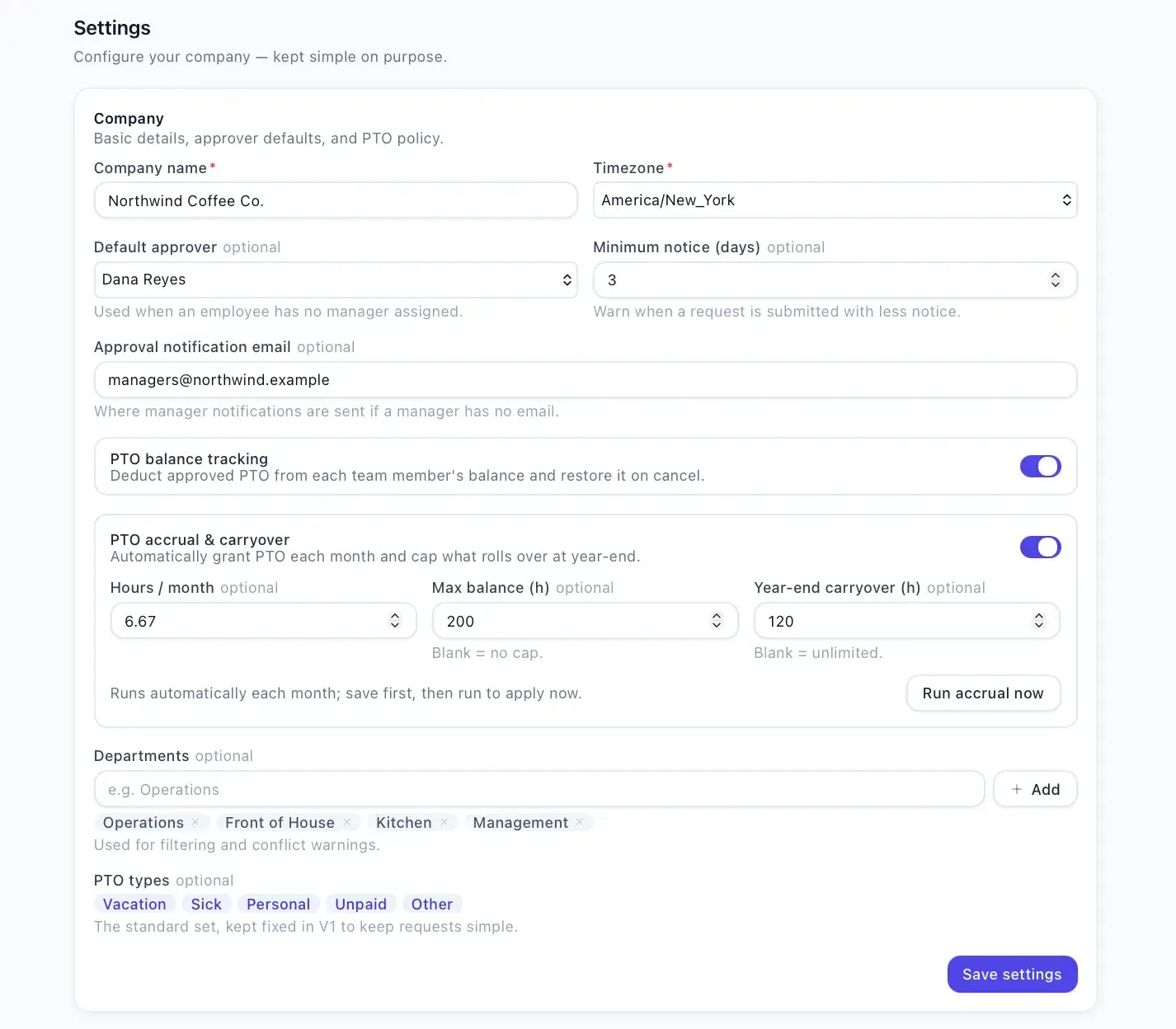
Settings
Company details, PTO types, departments, default approver, and notice rules.
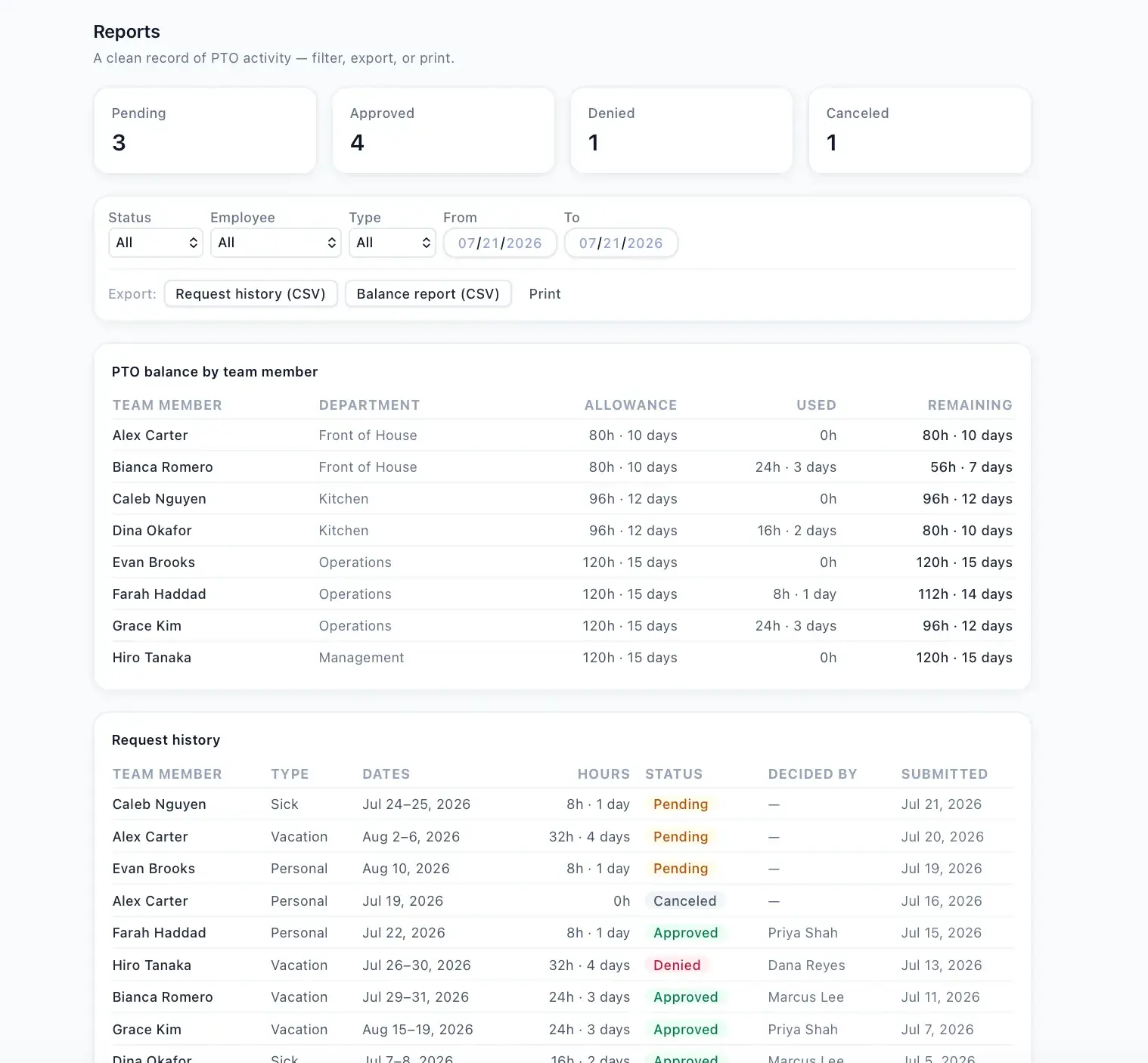
Reports and CSV export
PTO history, approved and pending requests, and balance reports with CSV export.
A Next.js/React frontend backed by Prisma over PostgreSQL, with custom session authentication (a required SESSION_SECRET guarded in production), notification adapters for Resend email and Twilio SMS that log to a NotificationLog when unset, and a scheduled accrual cron endpoint.
Visual jobsite handoff and project timeline platform for construction crews and management.
QR-based equipment checkout and asset accountability for construction crews and warehouses.
Multi-tenant SaaS command center that parallel-dials opted-in leads and routes only answered calls to available agents.
Start a project and reference this one — the conversation begins with what you have already seen.
Start a project