 Built In Oasis


LoadPack
In DevelopmentLogistics document packet builder that turns freight paperwork into invoice-ready PDF packets.
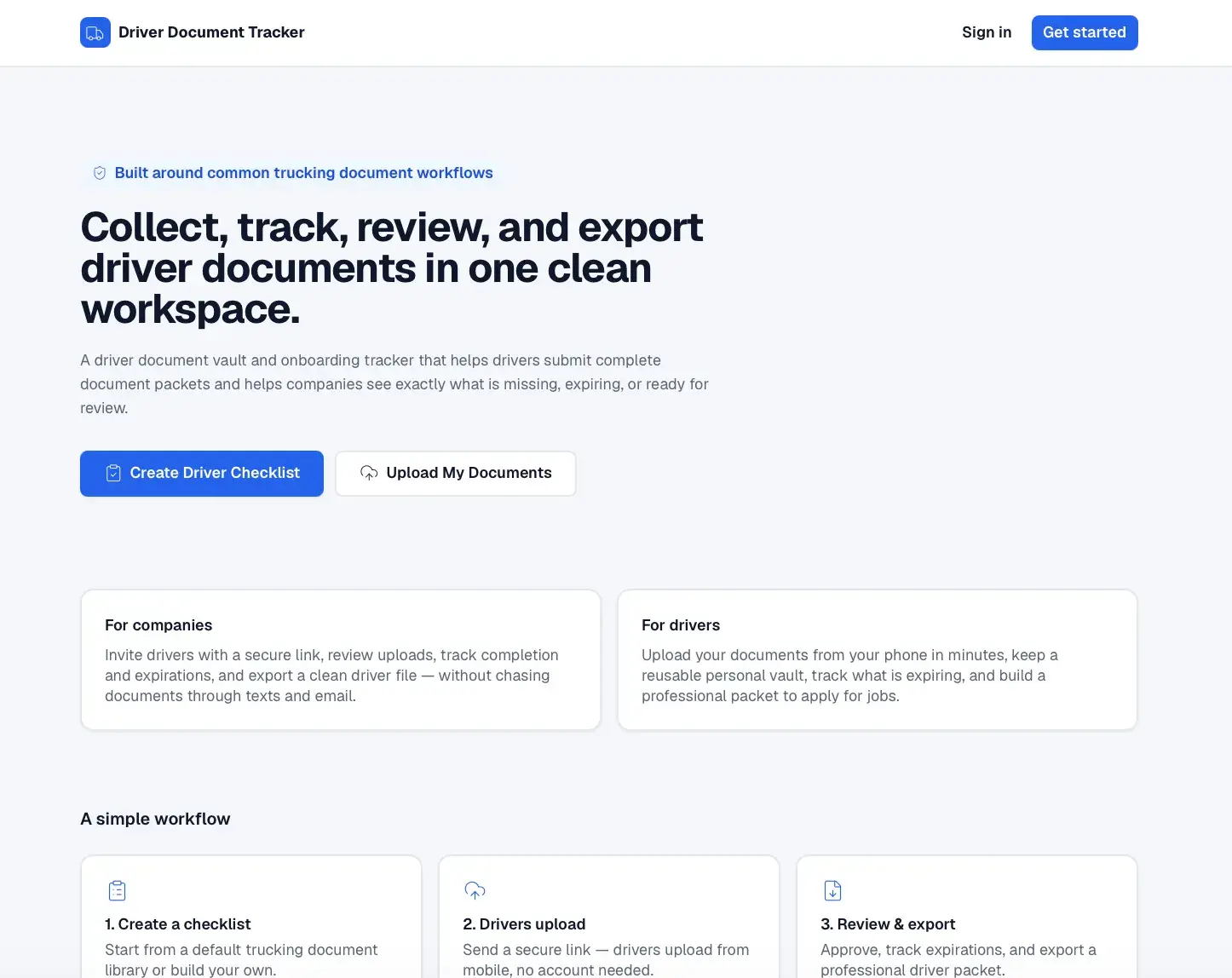
A driver document vault and onboarding tracker for trucking companies and drivers.
Driver document collection is often messy, arriving through text messages, email, photos, PDFs, and paper files. This causes missing and expired documents, slow hiring, duplicate requests, disorganized driver files, unclear review status, and poor audit readiness for both drivers and staff.
Built for Trucking and logistics companies, fleet operators, driver recruiters, and safety/compliance managers (primary), and individual CDL drivers, owner-operators, and staffing companies (secondary).
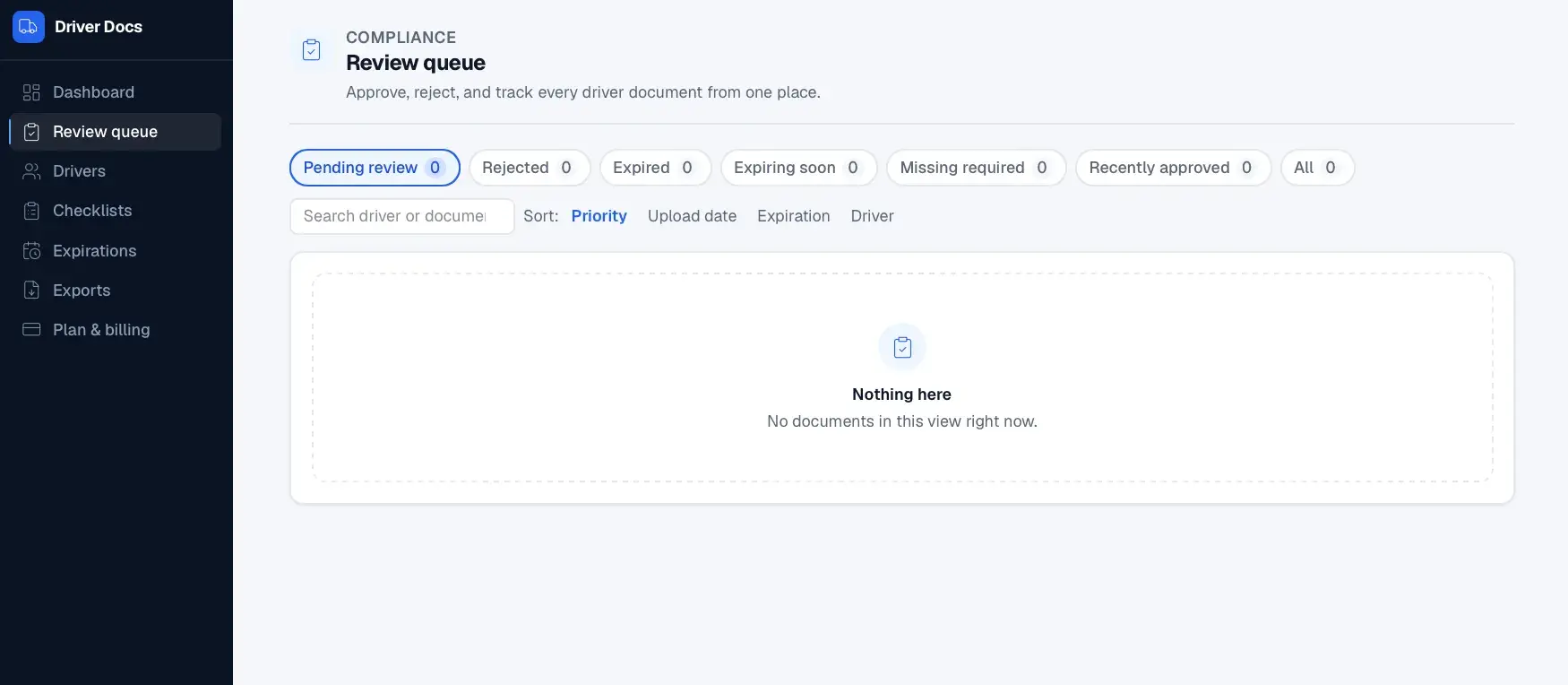
The app gives trucking companies one workflow to collect, review, track, and export driver documents. Admins build configurable checklists (with FMCSA driver-qualification-file concepts as defaults), send secure upload links, and drivers upload documents without creating a full account. Admins approve, reject, and request replacements while a completion score and expiration tracking surface what is missing or expiring. Companies and drivers can export professional PDF or ZIP driver packets, and drivers can keep a reusable personal document vault. The product notes it organizes documents but does not guarantee regulatory compliance.
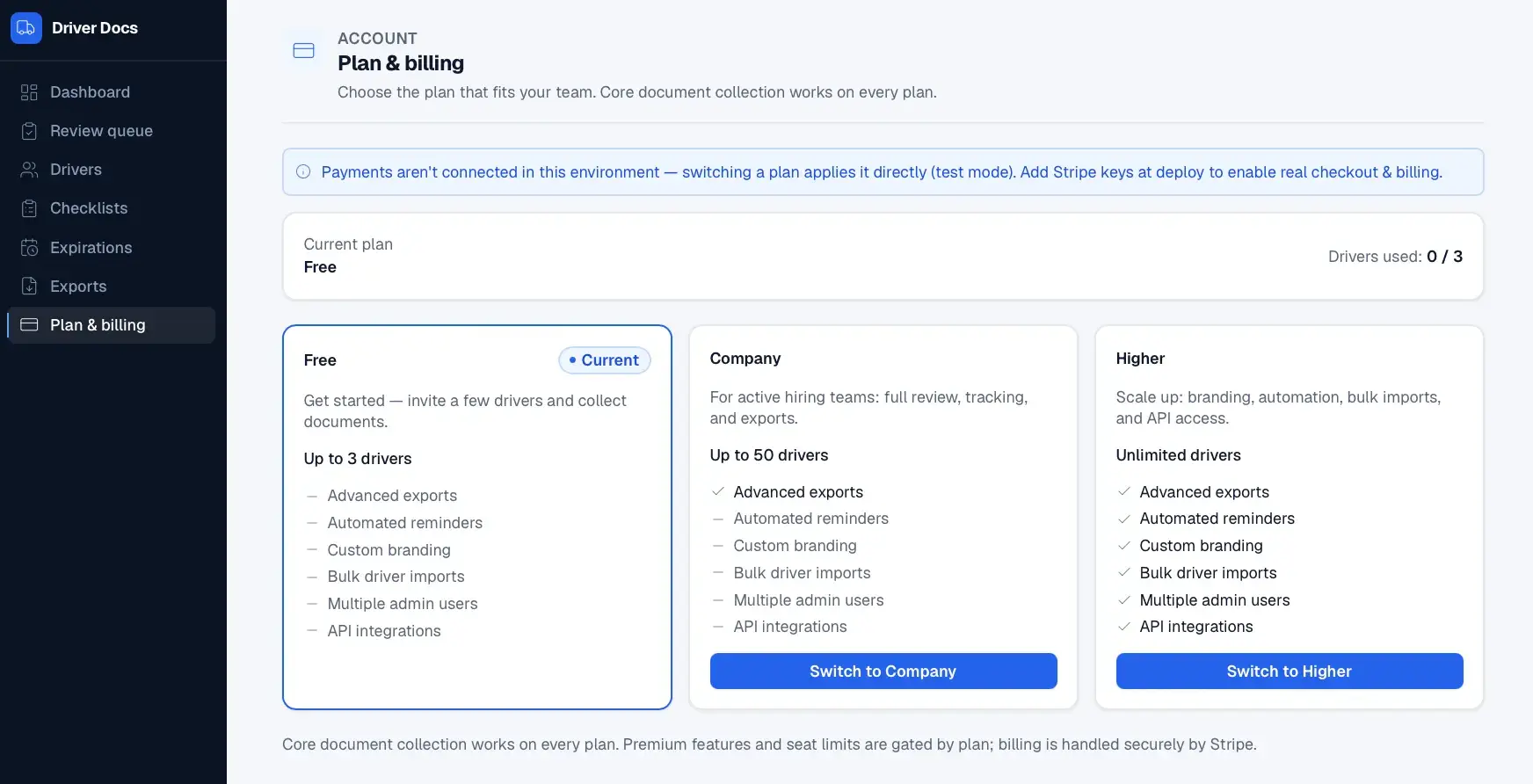
It implements secure tokenized invite and upload flows that let drivers submit files without accounts, a review workflow driving a deterministic completion score, and scheduled cron endpoints for expiration and reminder processing. It generates driver packets as PDFs (pdf-lib) and ZIP archives (jszip), and gates paid company features through Stripe Checkout, Customer Portal, and webhooks.
This is not a generic file upload tool. It is a driver document vault, onboarding checklist, expiration tracker, and professional packet generator in one clean workspace.
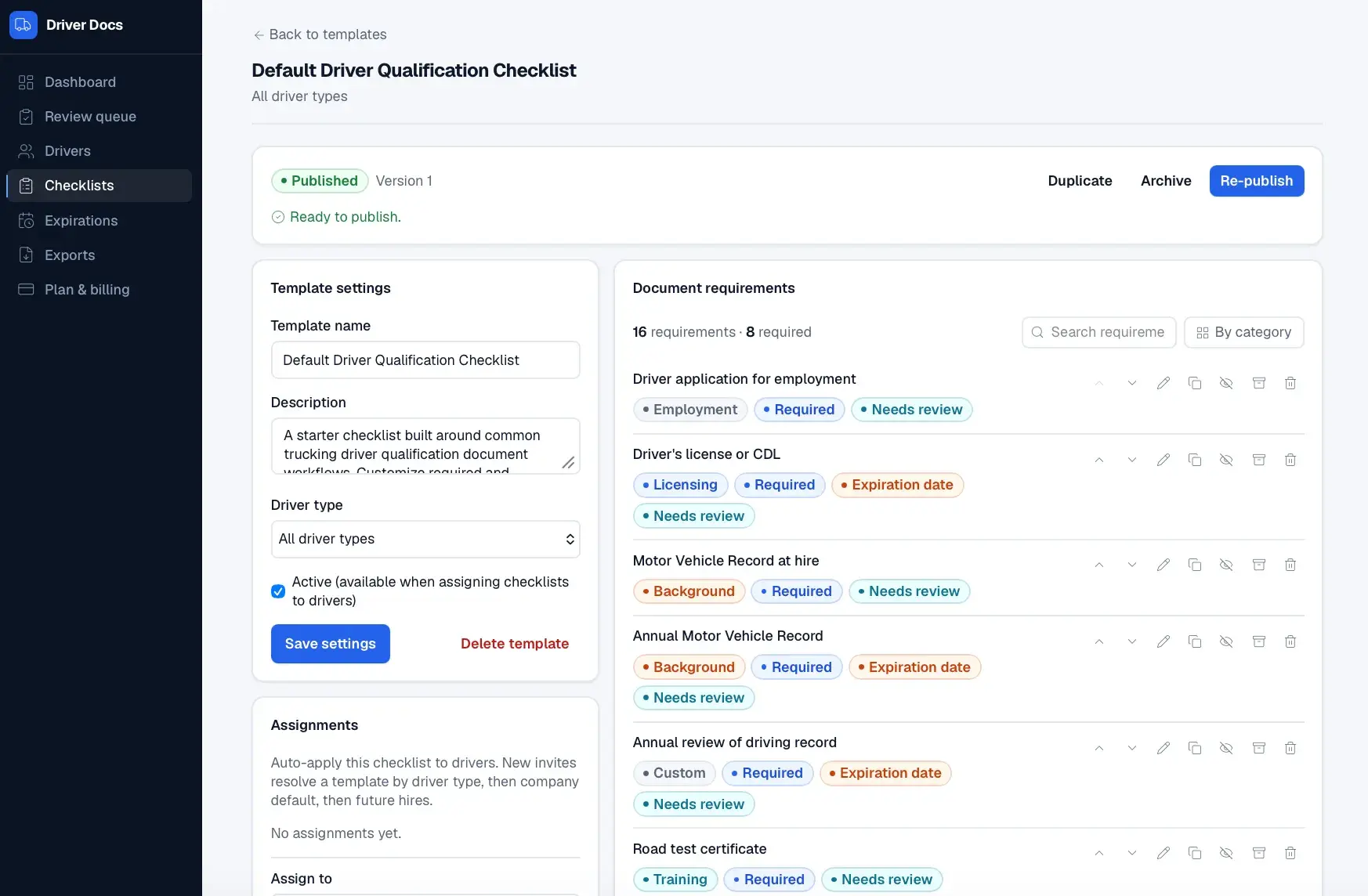
Default document library
Seeded trucking document library covering driver qualification file contents.
Checklist template builder
Custom templates with required/optional, expiration, review, and regulation-reference settings.
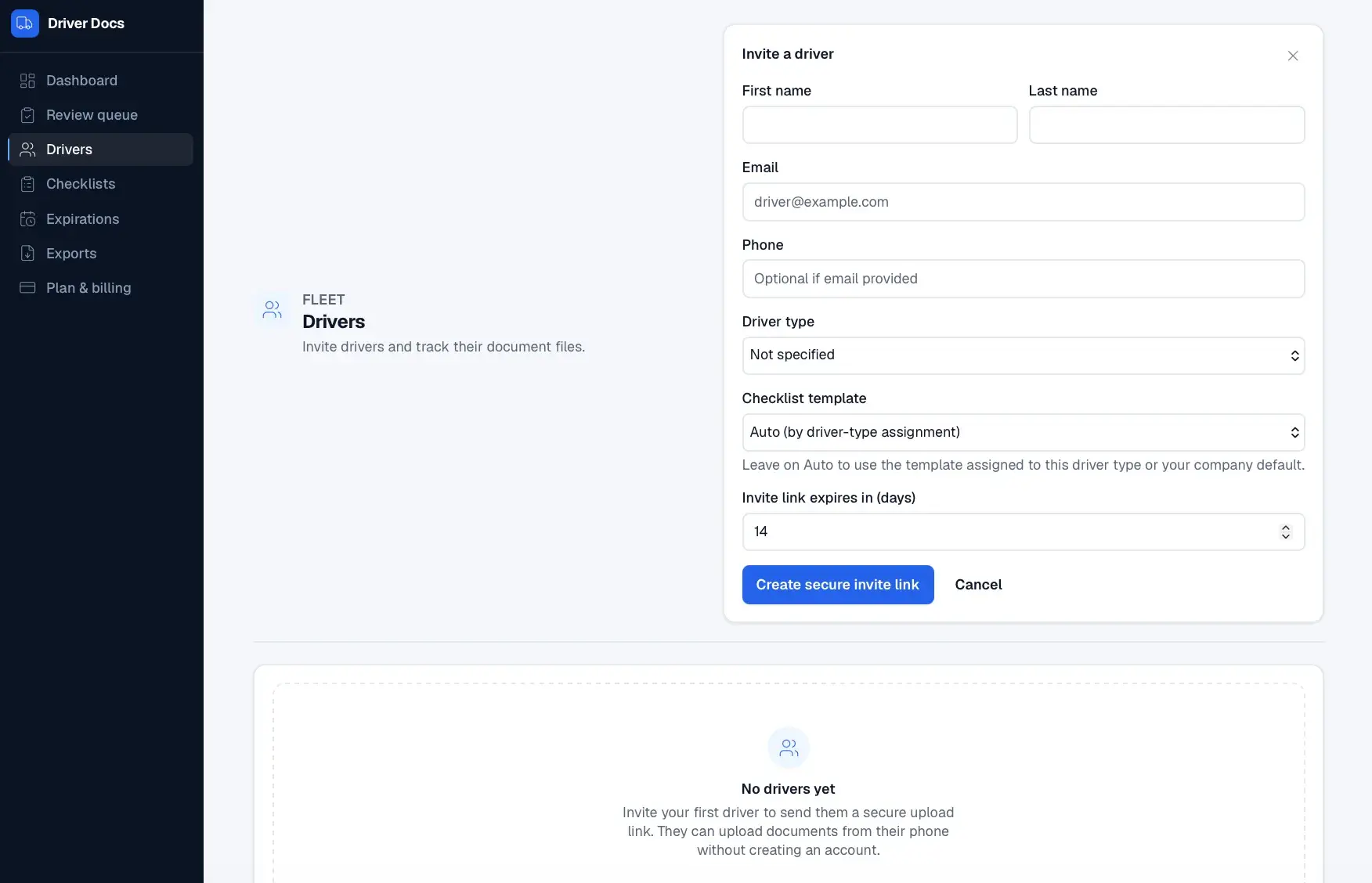
Driver inviteSecure upload link
Secure, expiring upload link sent by email or phone.
Driver upload portal
Mobile-first portal where drivers upload files tied to each checklist item without an account.
Document-to-item binding
Each upload attaches to a specific checklist item and enters needs-review status.
Admin review dashboard
Approve, reject, request replacement, and add internal or driver-visible notes.
Completion score and status engine
Calculates driver file completion from required items and penalizes gaps.
Expiration tracking
Tracks valid, expiring, and expired documents with 30/60/90-day filters.
Professional driver packet export
Generates PDF and ZIP packets, checklist-only PDF, and missing-document report.
Driver personal vault
Reusable driver-owned document vault independent of any one company.
Notifications and reminders
Reminder-ready workflows for missing, rejected, and expiring documents.
Monetization layer
Free driver plan, company plan, and higher tiers with modular feature gating.
AI assistance
Suggests document types and summarizes missing items without making legal determinations.
Audit trail
Tracks document status changes and reviewer actions.
Company
Driver
Completion Score
Share of required checklist items with an upload.
Required items that passed admin review.
Required items with no document reduce the score.
Rejected uploads penalize the score.
Expired required documents lower completion.
Items nearing expiration are factored into status.
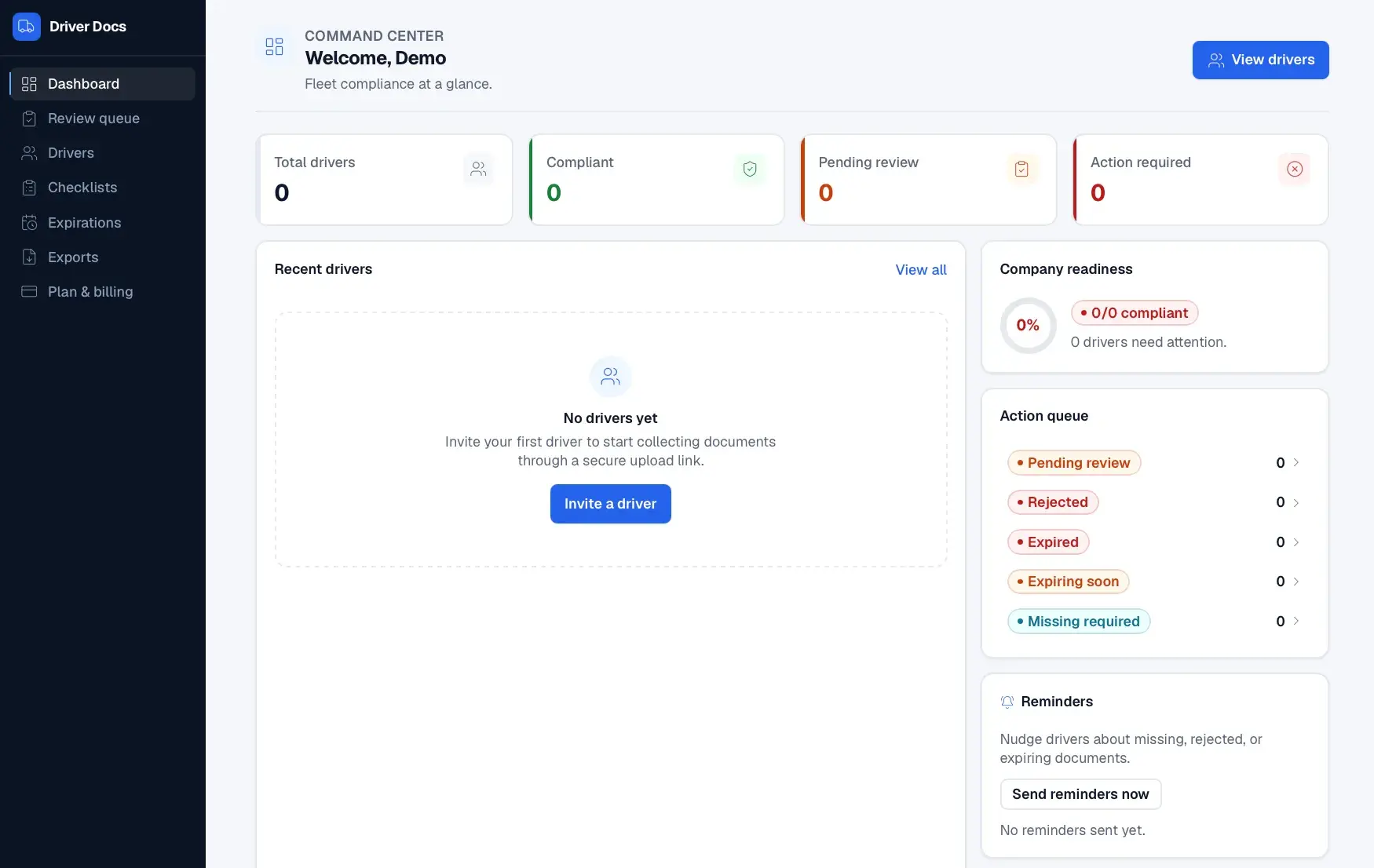
A Next.js and React app built on Supabase for Postgres, authentication, and file storage, with server-only service-role flows for token/portal access. Scheduled cron endpoints handle expiration and reminders, Stripe powers billing, and Resend (email) and Twilio (SMS) provide optional real notification delivery.
Logistics document packet builder that turns freight paperwork into invoice-ready PDF packets.
Fuel receipt capture, approval, and reimbursement automation for mobile teams.
Lifetime health passport for pets: timeline, medical records, vet snapshot, and secure sharing.
Start a project and reference this one — the conversation begins with what you have already seen.
Start a project