Functional DemoAI Platform

Internal Company Brain

A self-serve AI knowledge hub that turns a company's documents into a role-based chatbot, SOPs, and training.
Internal Company Brain — cover

What it solves

Company knowledge is scattered across Google Drive, Slack, Notion, email threads, PDFs, training videos, old documents, and manager memory. Employees cannot get reliable, company-specific answers, and setting up a real internal AI system usually requires consultants or expensive enterprise tooling.

Built for Small and mid-sized businesses that want an internal AI knowledge system without developers or consultants; owners, managers, and employees across departments.

Overview

A company picks its industry, enters basic profile information, and uploads documents, website URLs, and video transcripts. The system builds a knowledge base and generates a modular company dashboard: a chatbot that answers from company knowledge with source citations and confidence, an SOP library, a training center, a company wiki, an employee help desk, verified answers, a knowledge-gap detector, and manager analytics. Role-based permissions control what each employee can see, and the AI is instructed never to invent company-specific policies.

What this demonstrates

Implements a RAG-style knowledge pipeline of extraction, chunking, embedding, retrieval, and cited answer generation, with answers flagged for low confidence. Adds role-based multi-tenant permissions, an industry template engine, automatic knowledge-gap detection from repeated unanswered questions, Stripe-based plan billing, and observability, with mock fallbacks so every feature works without external keys.

What makes it different

This is not a basic chatbot. It is a full internal operating hub where a company uploads its knowledge and instantly generates a customized, role-based AI dashboard for its team.

  • Self-serve, no consultantsA non-technical owner builds a professional internal AI system without developers.
  • Company knowledge firstAnswers use company knowledge first, industry templates second, and never invent policies.
  • Cited and confidence-awareAnswers show sources, confidence, and admit when knowledge is missing.
  • Verified answers as a trust layerAdmin-approved answers carry a verified badge, owner, and review date.
  • Knowledge gaps surfacedRepeated unanswered questions and low-confidence answers become tracked gaps.
  • Permissions respectedRole-based access controls documents, SOPs, training, and answers.

Core capabilities · 16

  • Company Brain Chatbot

    Answer company-specific questions with citations, confidence, and related SOPs and training.

  • SOP Library

    Searchable, role-based step-by-step processes with versions, owners, and approval status.

  • Training Center

    Role-based paths with video and written lessons, quizzes, and completion tracking.

  • Company Wiki

    Structured internal wiki of overview, services, pricing, policies, and escalation paths.

  • Employee Help Desk

    Ticketing with AI-suggested answers, assignment, and resolution into the knowledge base.

  • Sales Assistant

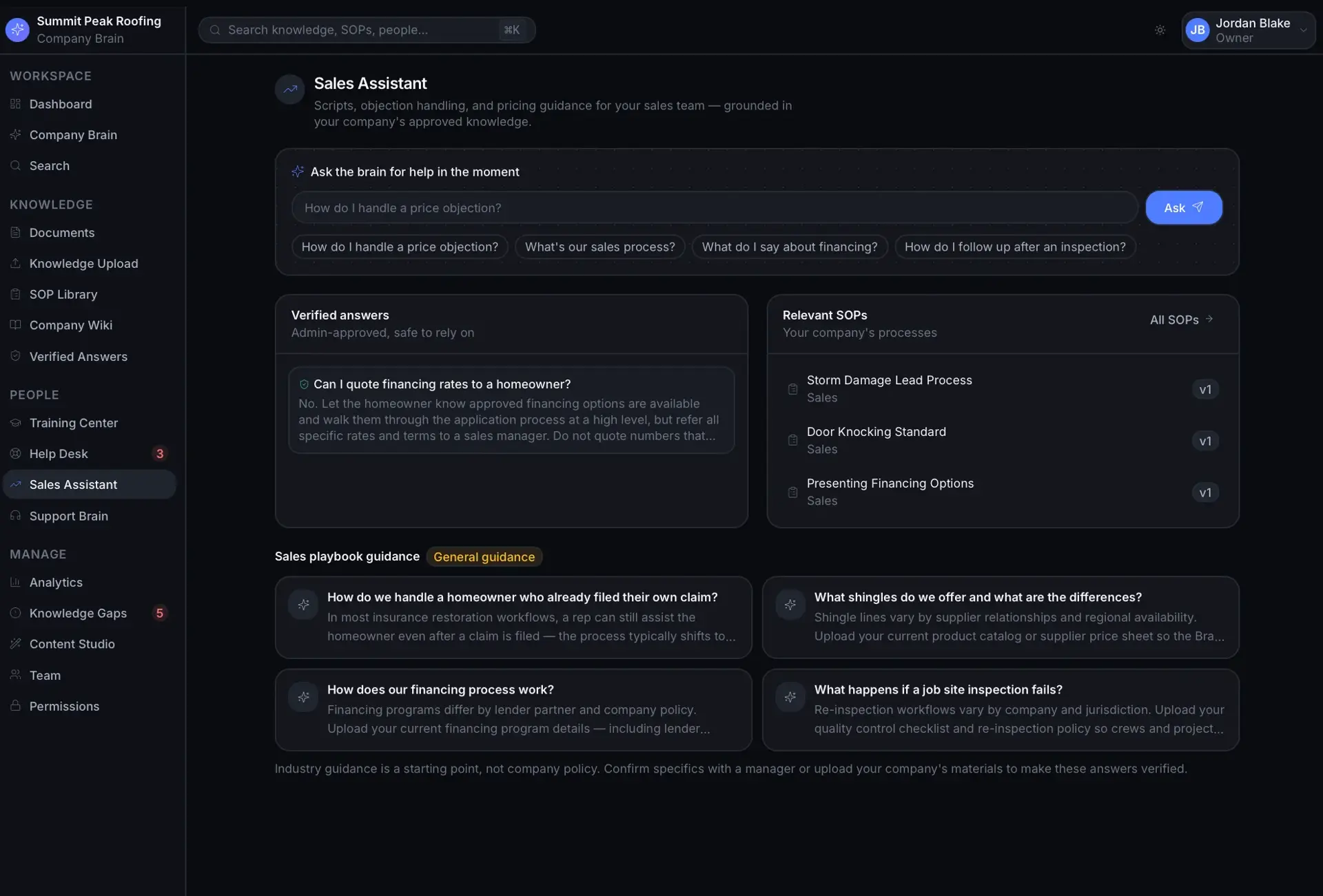
    Scripts, objection handling, follow-ups, and roleplay practice for sales teams.

  • Customer Support Brain

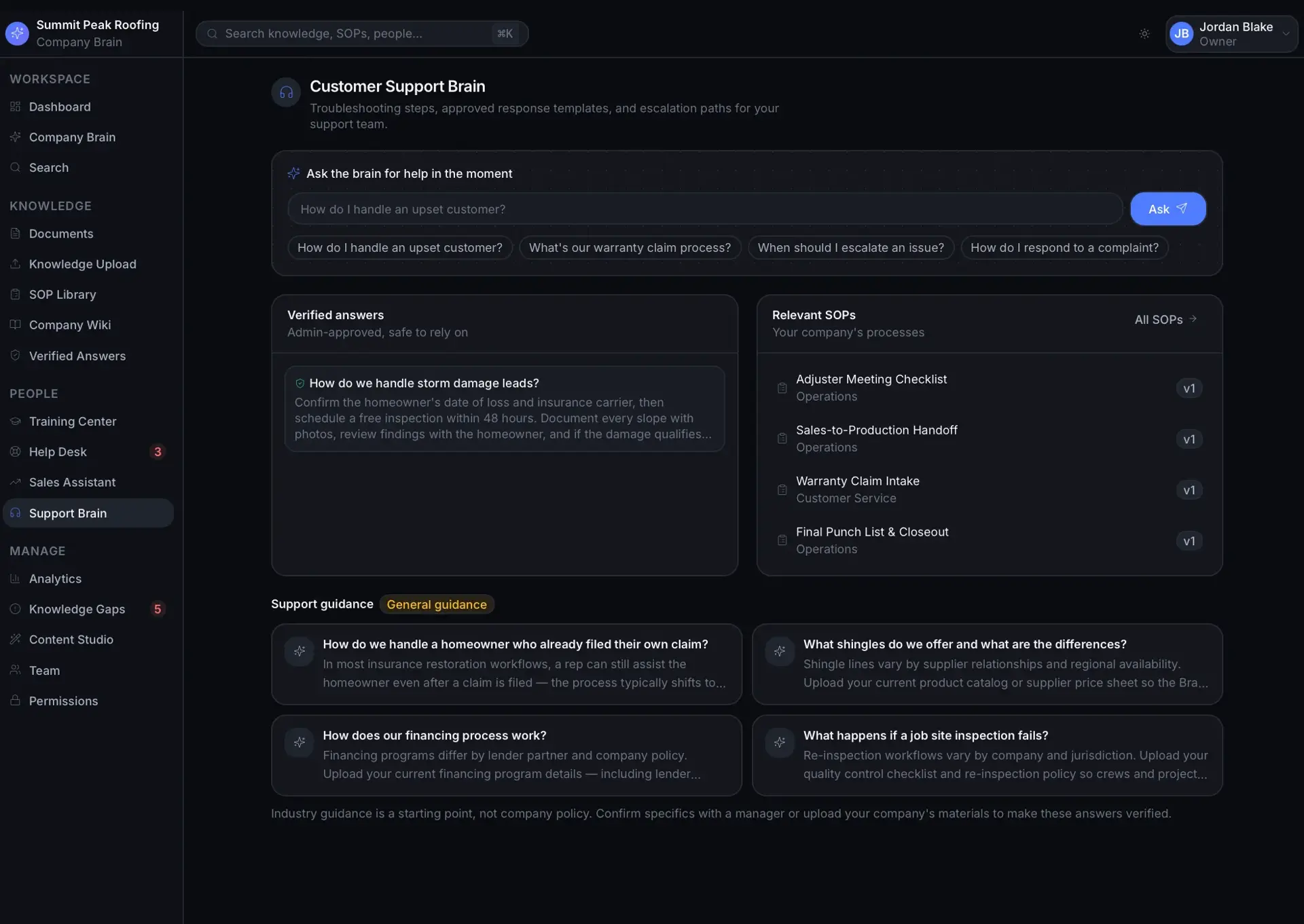
    Support answers, troubleshooting, warranty rules, and approved response templates.

  • Manager Analytics

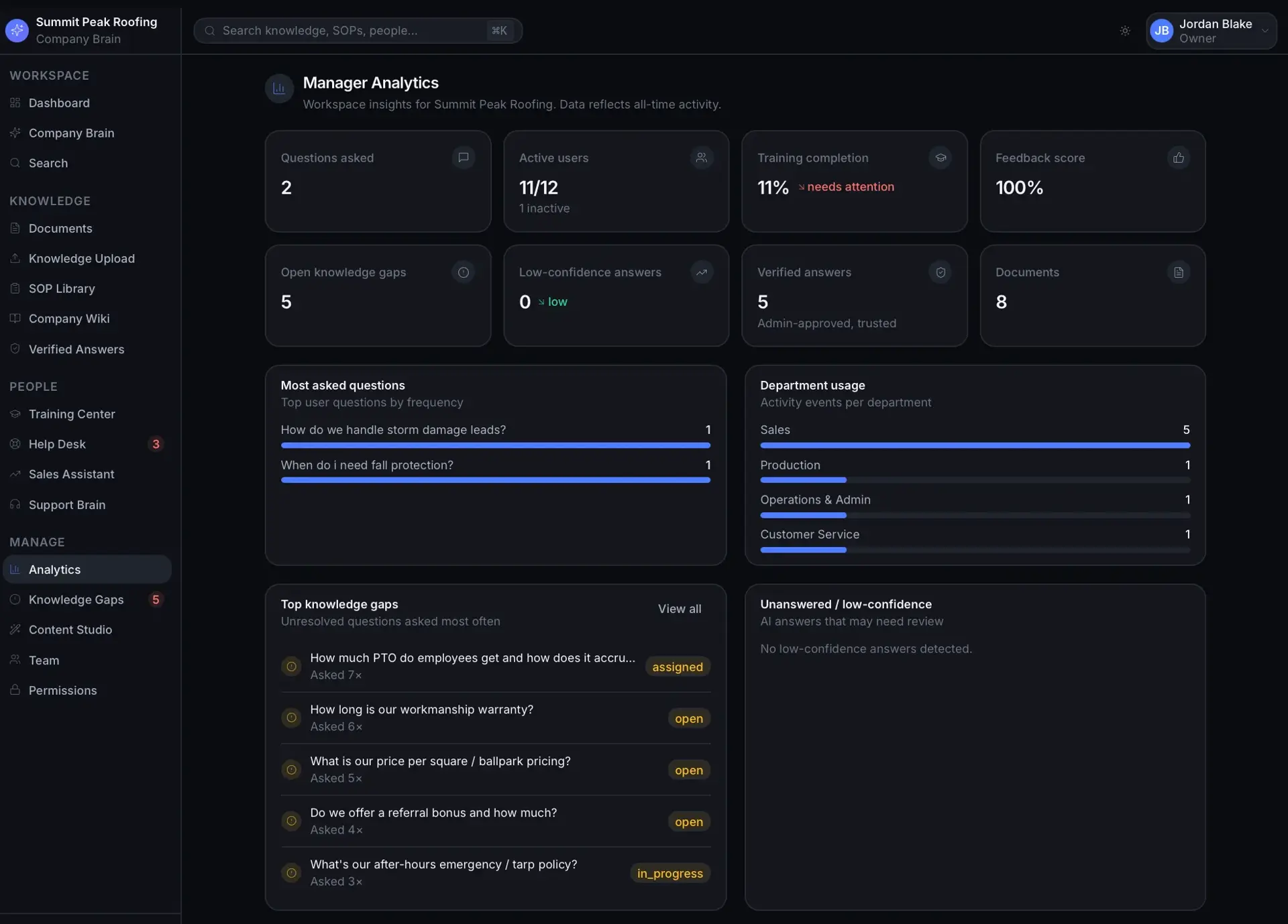
    Questions asked, knowledge gaps, training completion, usage, and content needing updates.

  • Knowledge Gap Detector

    Detect repeated unanswered questions and conflicting or outdated content and route fixes.

  • Verified Answers

    Admin-approved answers with badge, source, owner, and review reminders.

  • Knowledge Upload System

    Ingest PDFs, docs, spreadsheets, websites, and video links with processing status.

  • Knowledge Processing Pipeline

    Extract, clean, chunk, embed, and categorize content for RAG-style search.

  • AI Content Generation Tools

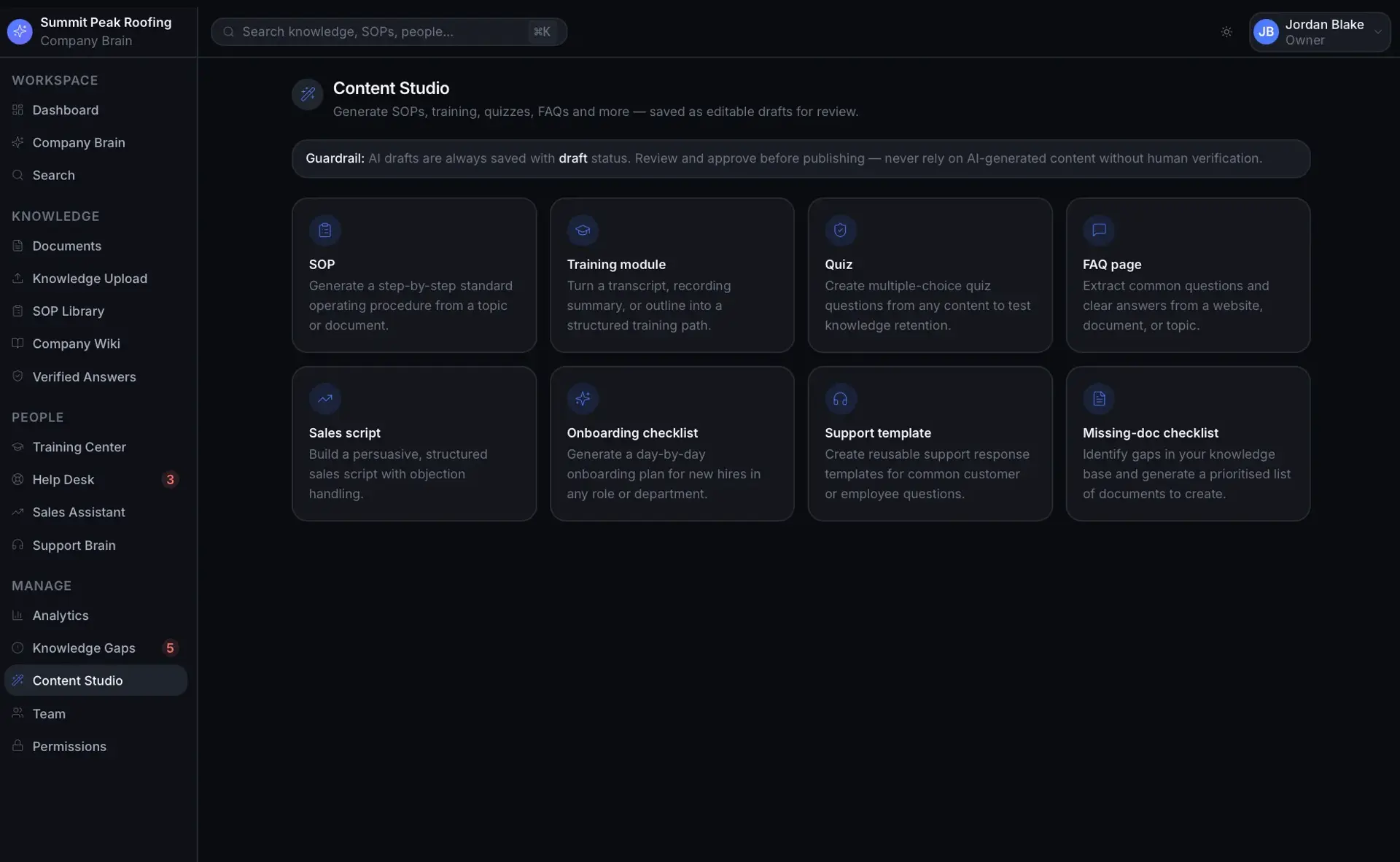
    Draft SOPs, training modules, quizzes, FAQs, and scripts from existing content.

  • Industry Template Engine

    Seed starter SOP categories, training paths, FAQs, and roles per industry.

  • Global Search

    Search across chat, SOPs, wiki, training, documents, and tickets grouped by type.

  • Team Management & Permissions

    Invite users, assign departments and roles, and enforce role-based access.

How it works

Owner / Admin

  1. Select industry and enter company profile
  2. Upload documents, websites, and video links
  3. Choose which modules to enable
  4. System processes knowledge and builds the company brain
  5. Review the generated wiki, SOPs, and training
  6. Invite employees with departments and roles
  7. Launch the company brain

Employee

  1. Ask company-specific questions
  2. Search knowledge with cited answers
  3. View allowed SOPs
  4. Complete assigned training
  5. Submit help desk requests

Manager

  1. Review most-asked and unanswered questions
  2. See top knowledge gaps
  3. Track training completion and usage
  4. Approve verified answers and content updates

Key screens

  • Setup WizardTen-step onboarding from industry to launch.
  • Company Brain DashboardModular home for the enabled modules.
  • ChatCompany assistant with citations and confidence.
  • SOP LibraryDepartmental step-by-step processes.
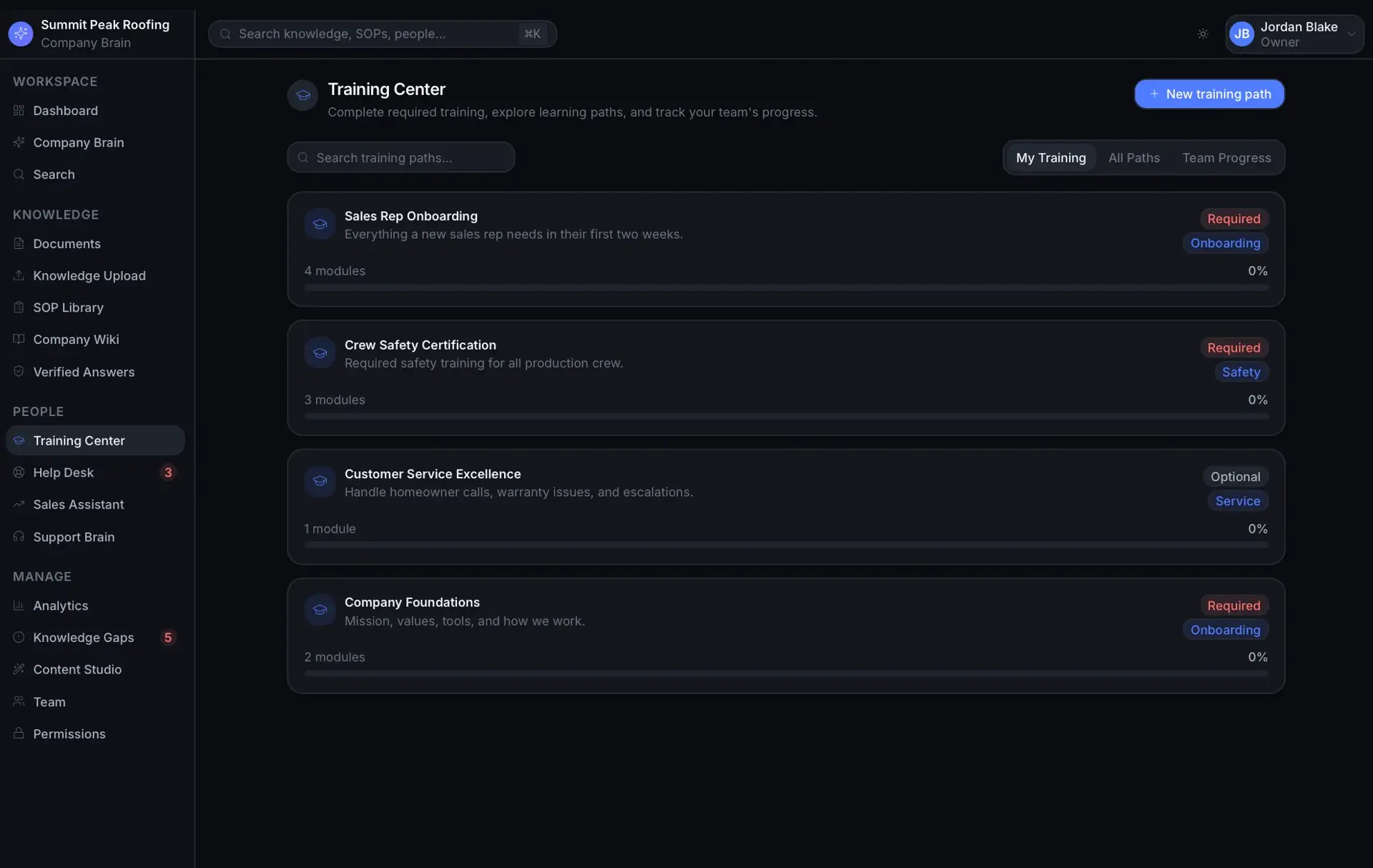
  • Training CenterRole-based paths and completion.
  • Company WikiStructured internal knowledge.
  • Employee Help DeskTickets and AI-suggested answers.
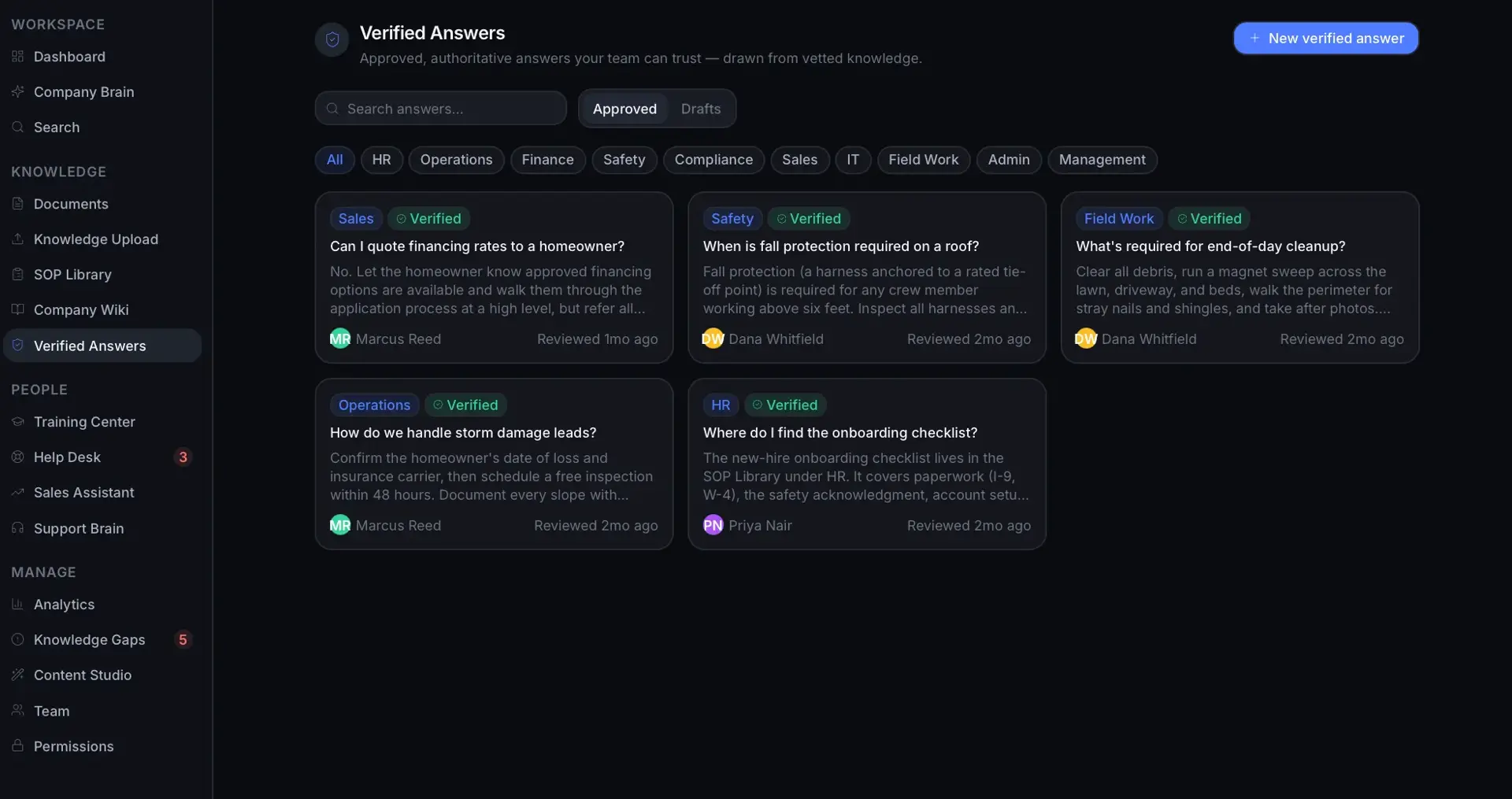
  • Verified AnswersApproved, trusted company answers.
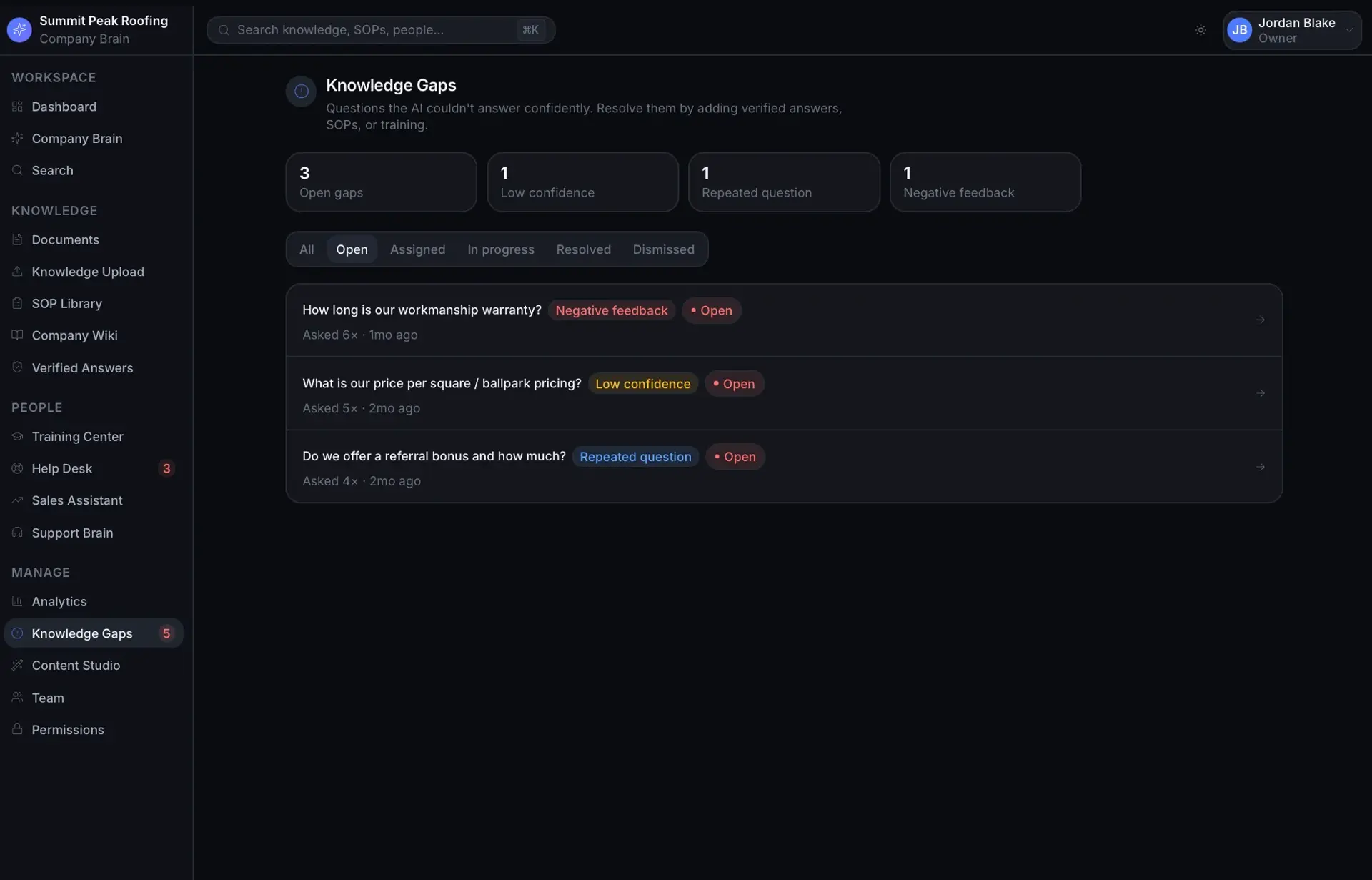
  • Knowledge GapsMissing and conflicting knowledge.
  • Manager AnalyticsUsage, gaps, and training insights.
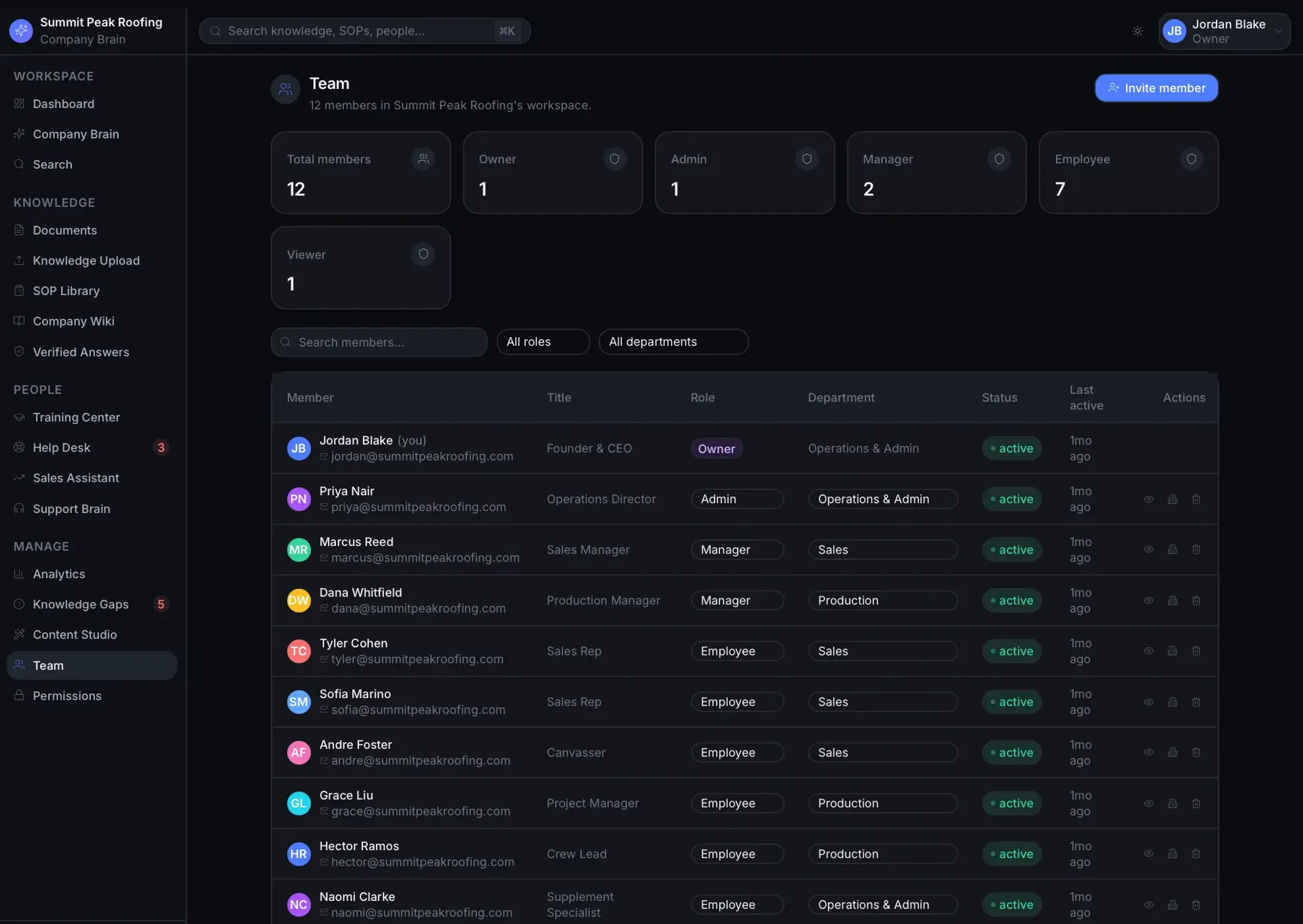
  • Team ManagementUsers, roles, and permissions.

Data model

  • Company
  • User
  • Department
  • KnowledgeSource
  • KnowledgeChunk
  • ChatConversation
  • ChatMessage
  • SOP
  • TrainingPath
  • TrainingModule
  • TrainingCompletion
  • HelpDeskTicket
  • KnowledgeGap
  • VerifiedAnswer
  • IndustryTemplate

Screens · 20

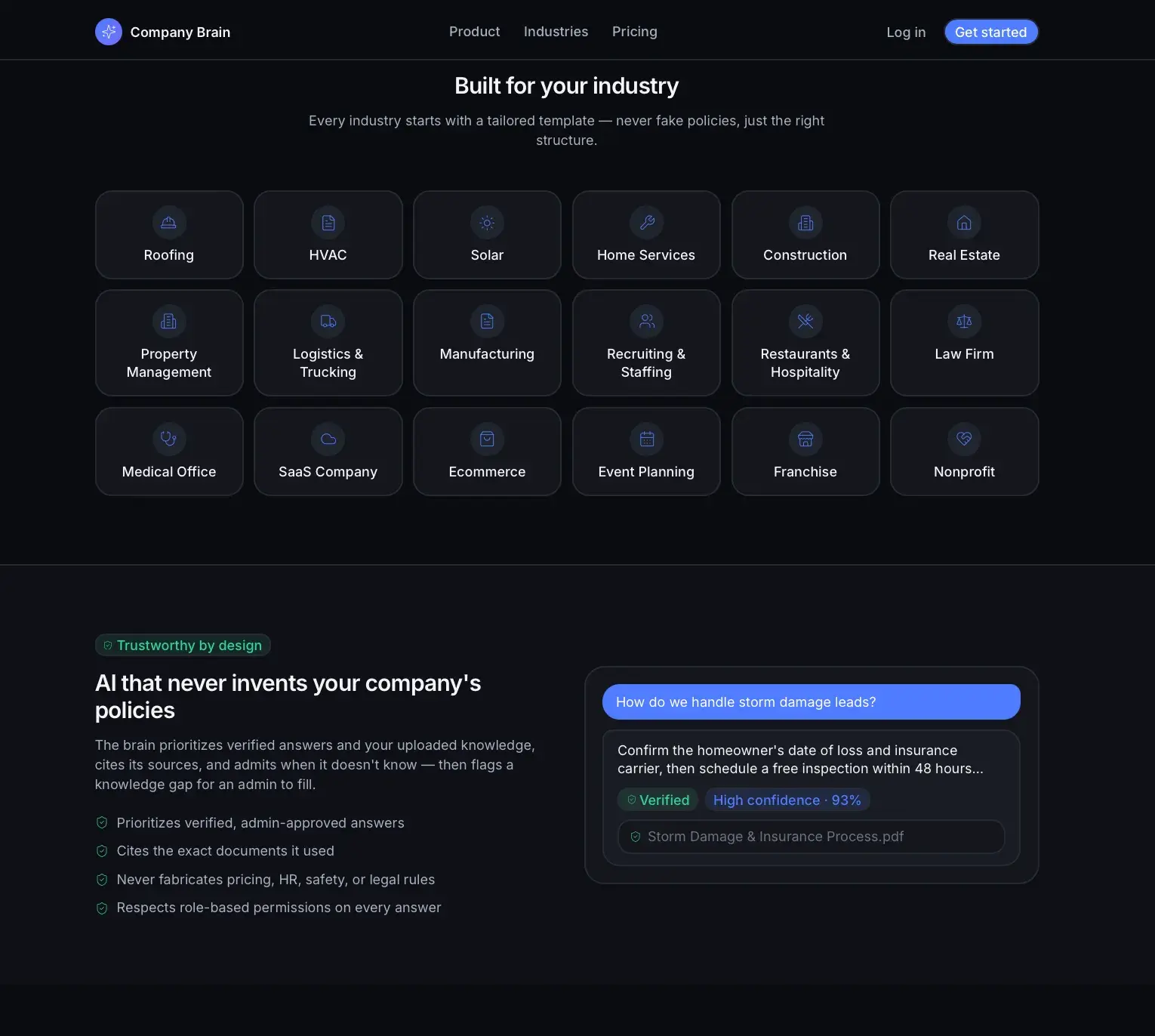
Company Brain industries section with a grid of industry templates and a trust section showing a verified, cited AI chat answer about storm damage leads.
Industries & verified answers
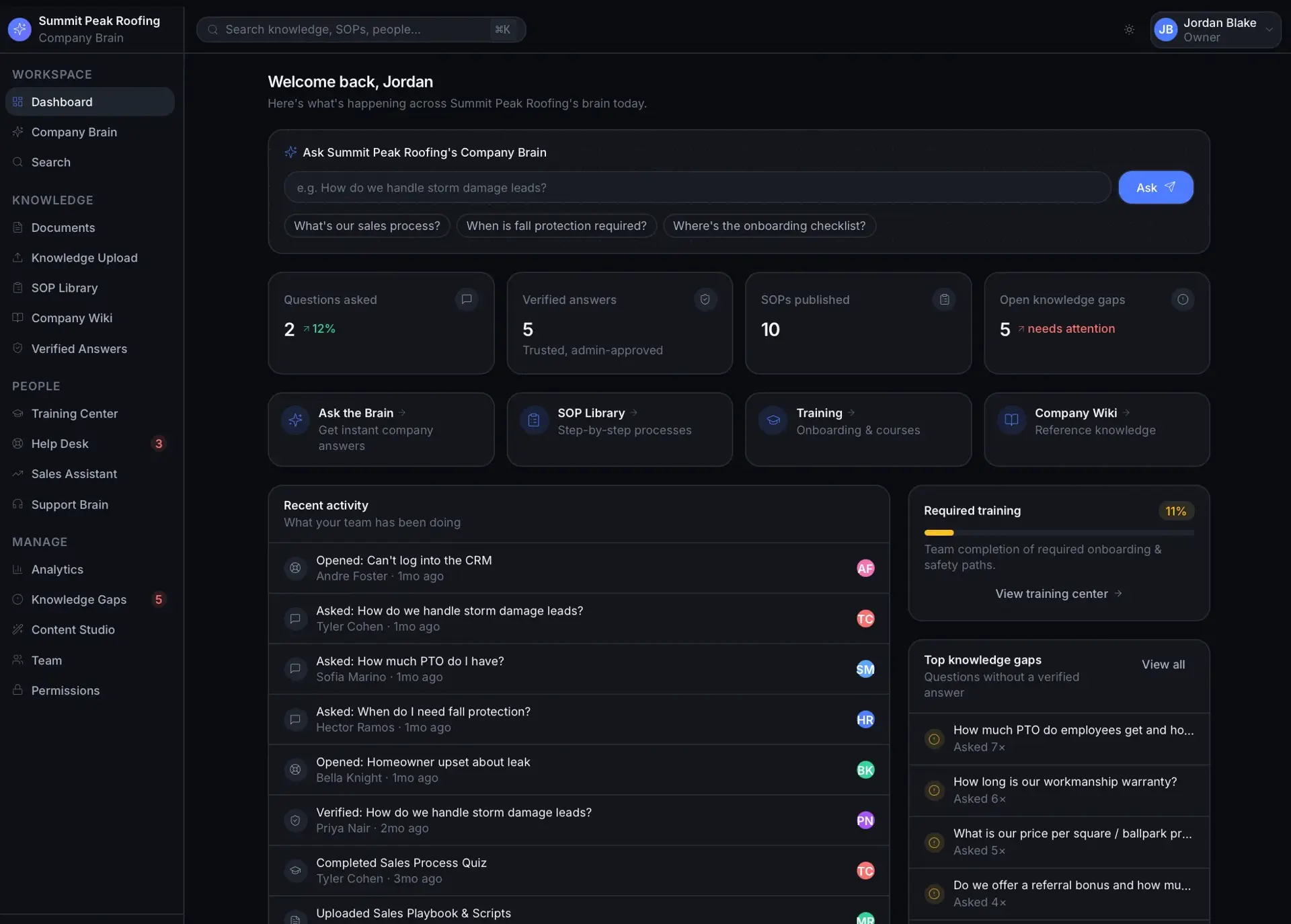
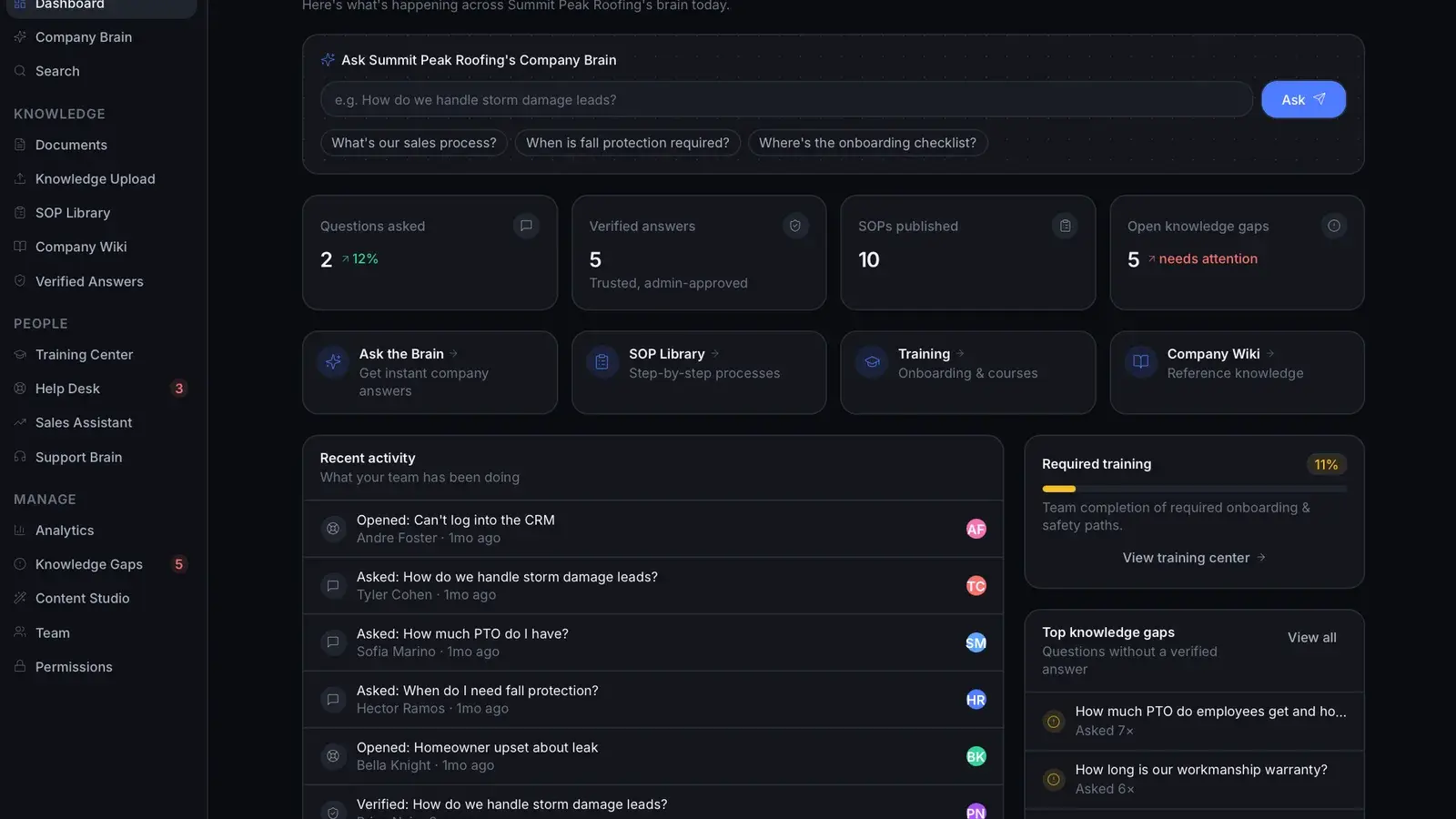
Summit Peak Roofing workspace dashboard with an ask-the-brain box, stat cards, recent activity feed, required-training progress, and top knowledge gaps.
Workspace dashboard
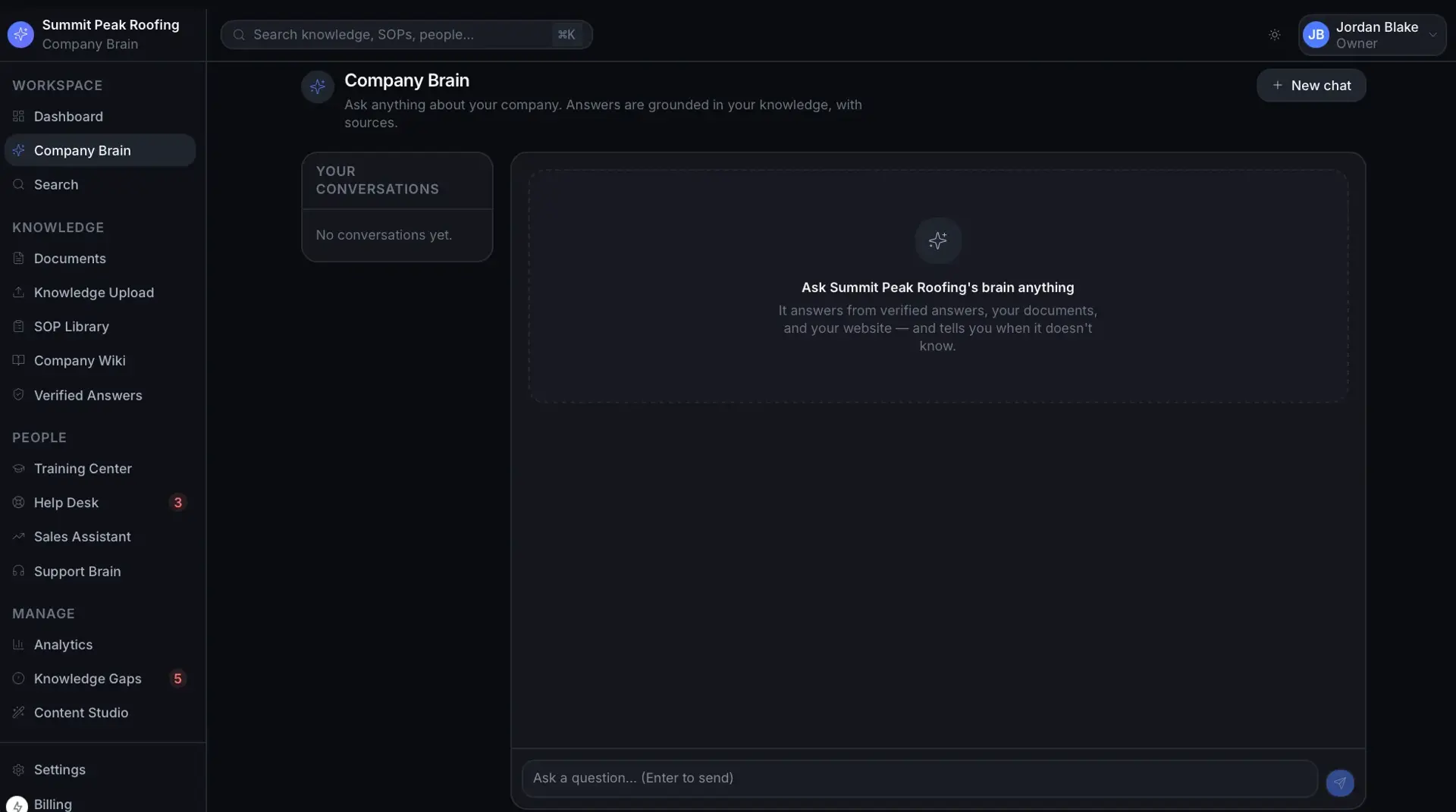
Company Brain chat page with an empty conversation state prompting the user to ask the company brain anything, and a question input at the bottom.
Company Brain chat (empty)
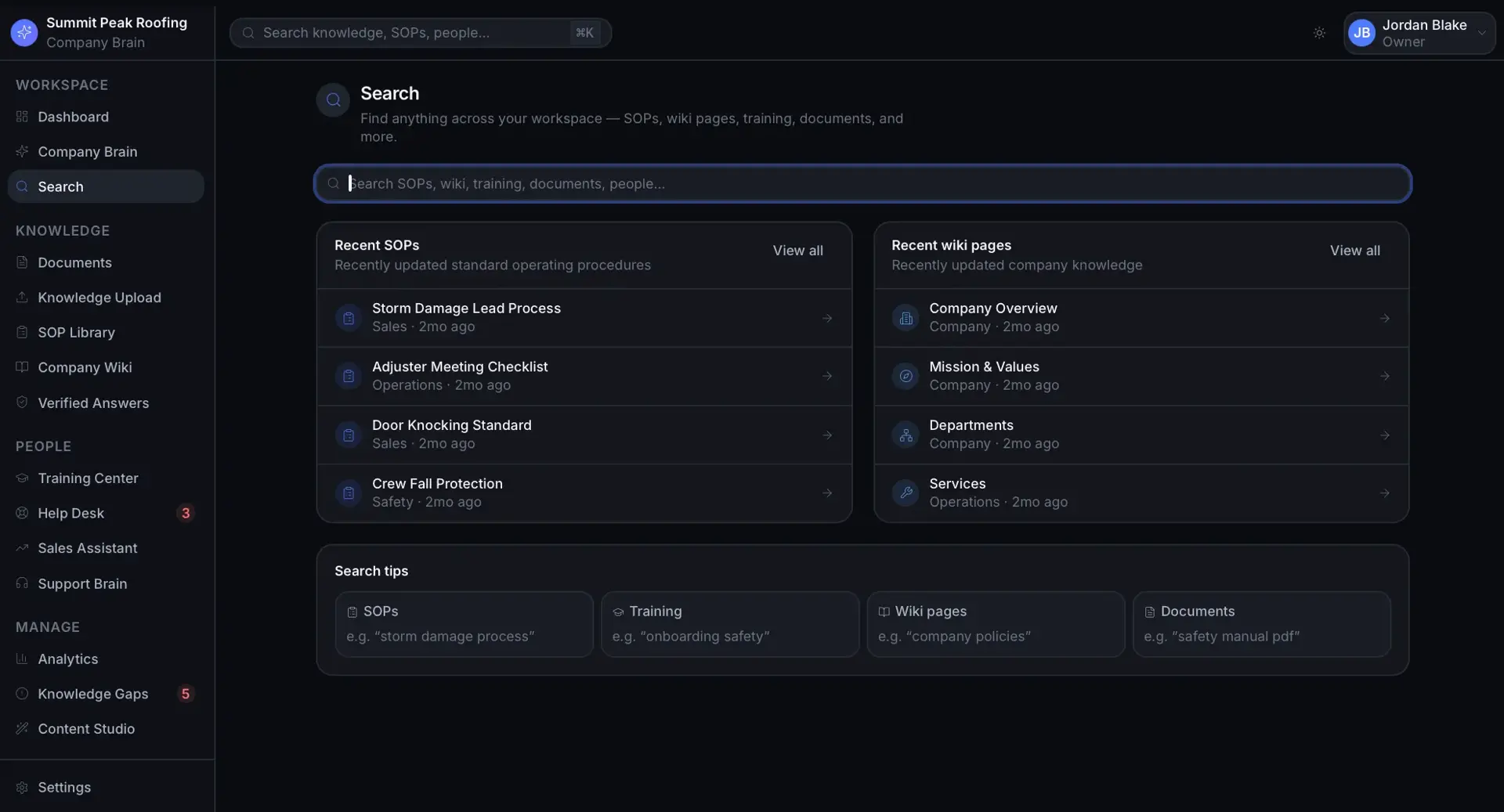
Search page with a query box and panels of recent SOPs and recent wiki pages, plus search-tip cards for SOPs, training, wiki, and documents.
Workspace search
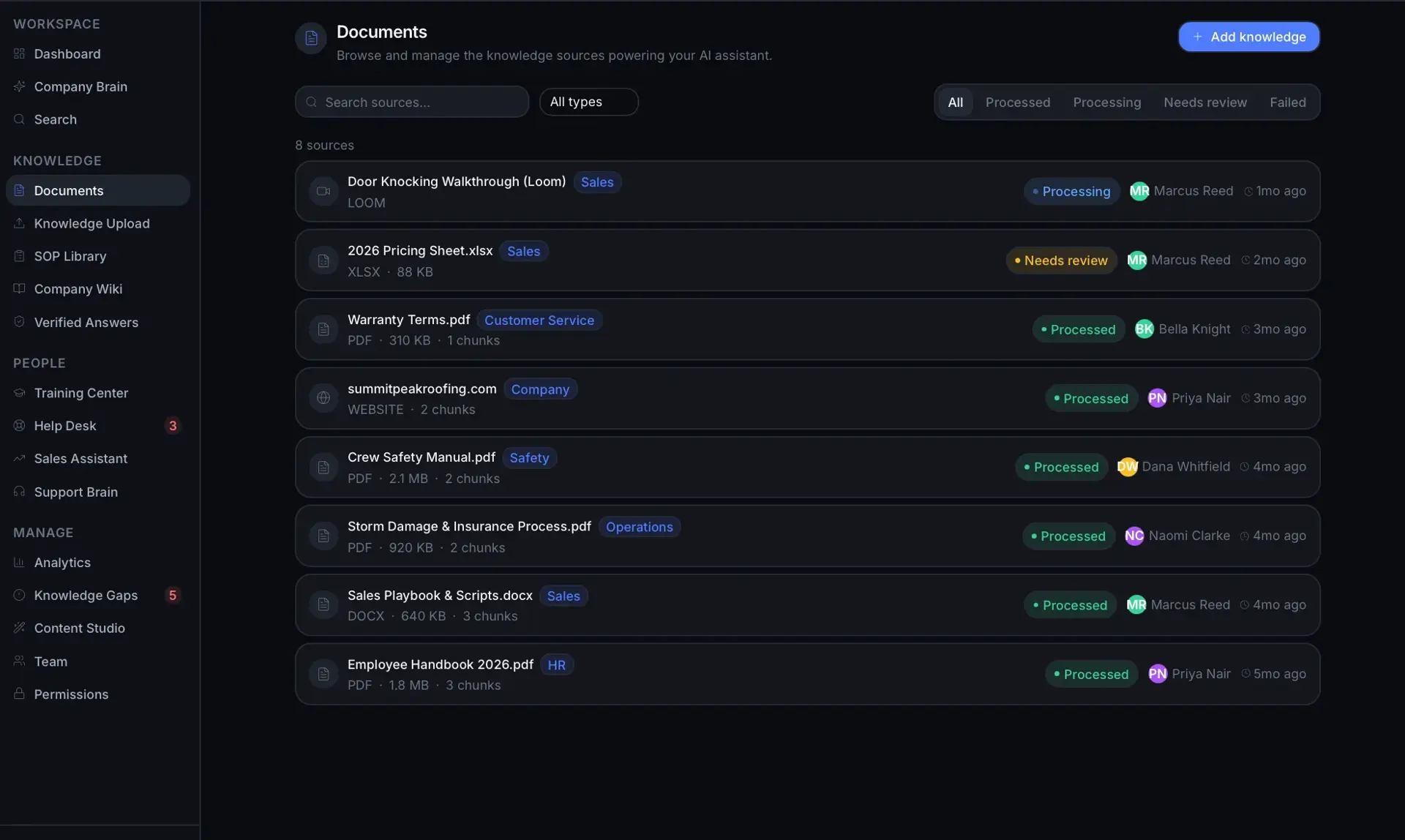
Documents page listing 8 knowledge sources with type, size, processing status, owner, and date for files, a website, and a video.
Documents / knowledge sources
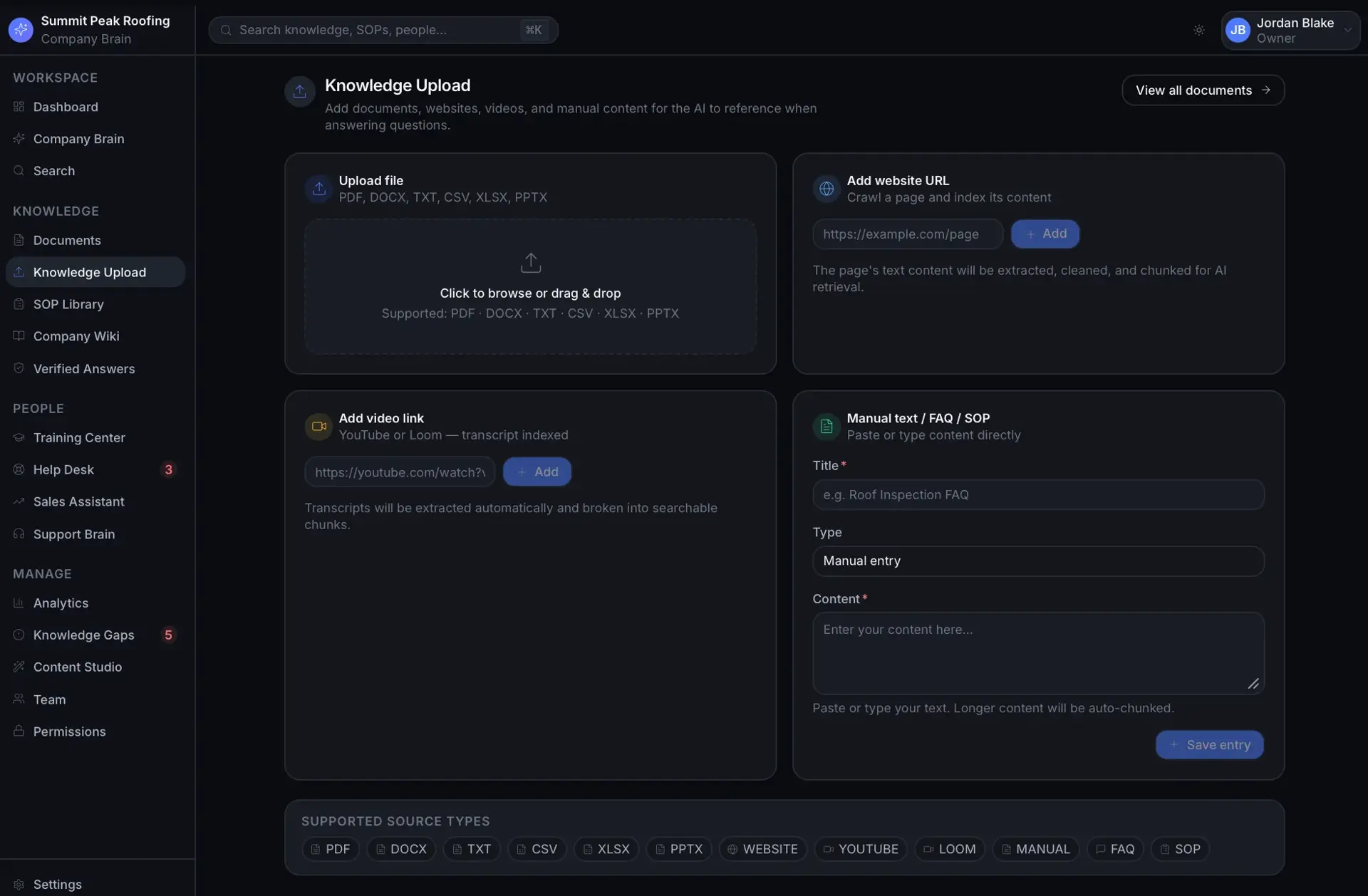
Knowledge Upload page with four intake panels: file upload, add website URL, add video link, and manual text/FAQ/SOP entry.
Knowledge upload
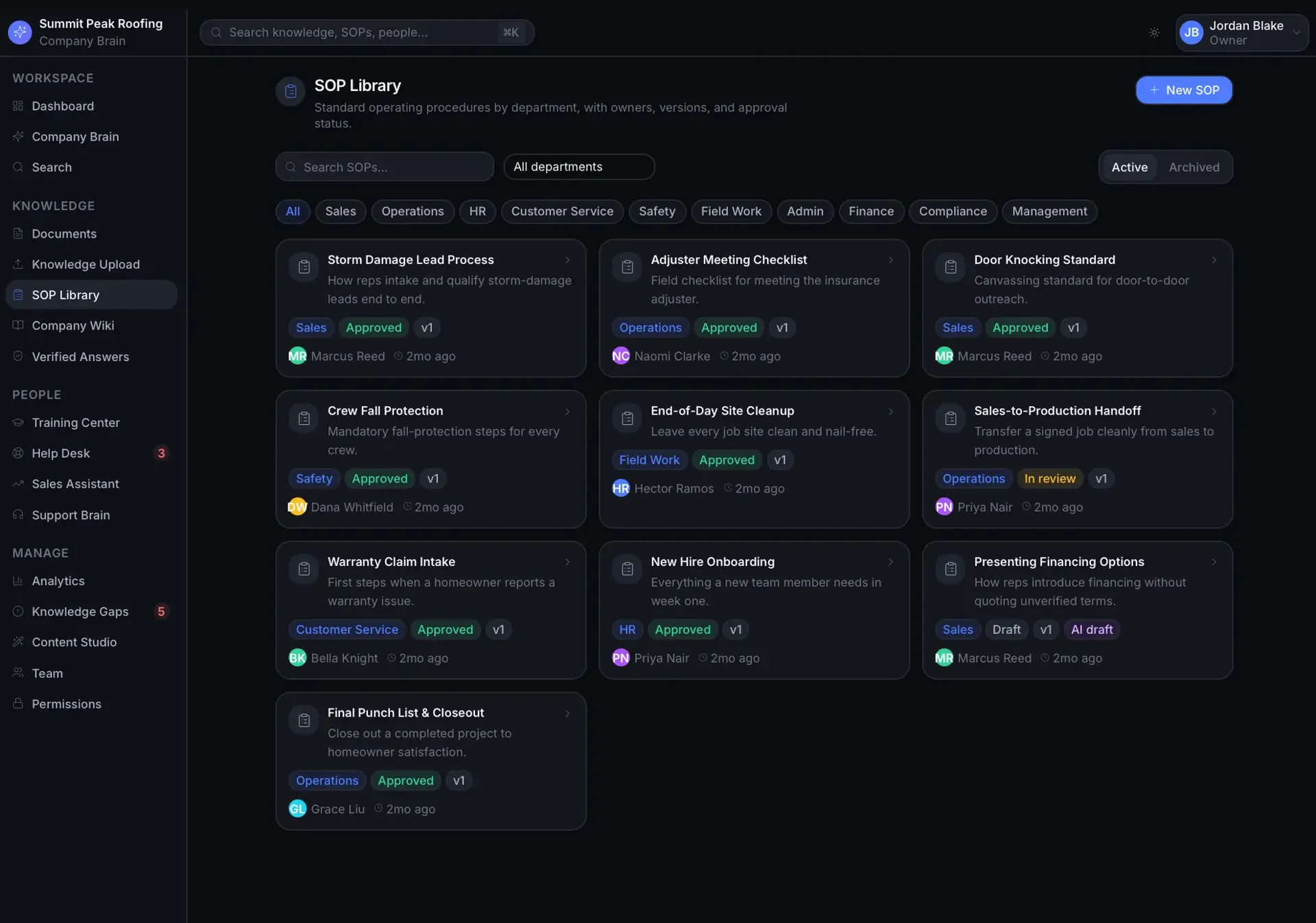
SOP Library with department filter tabs and a grid of SOP cards showing department, approval status, version, owner, and date.
SOP Library
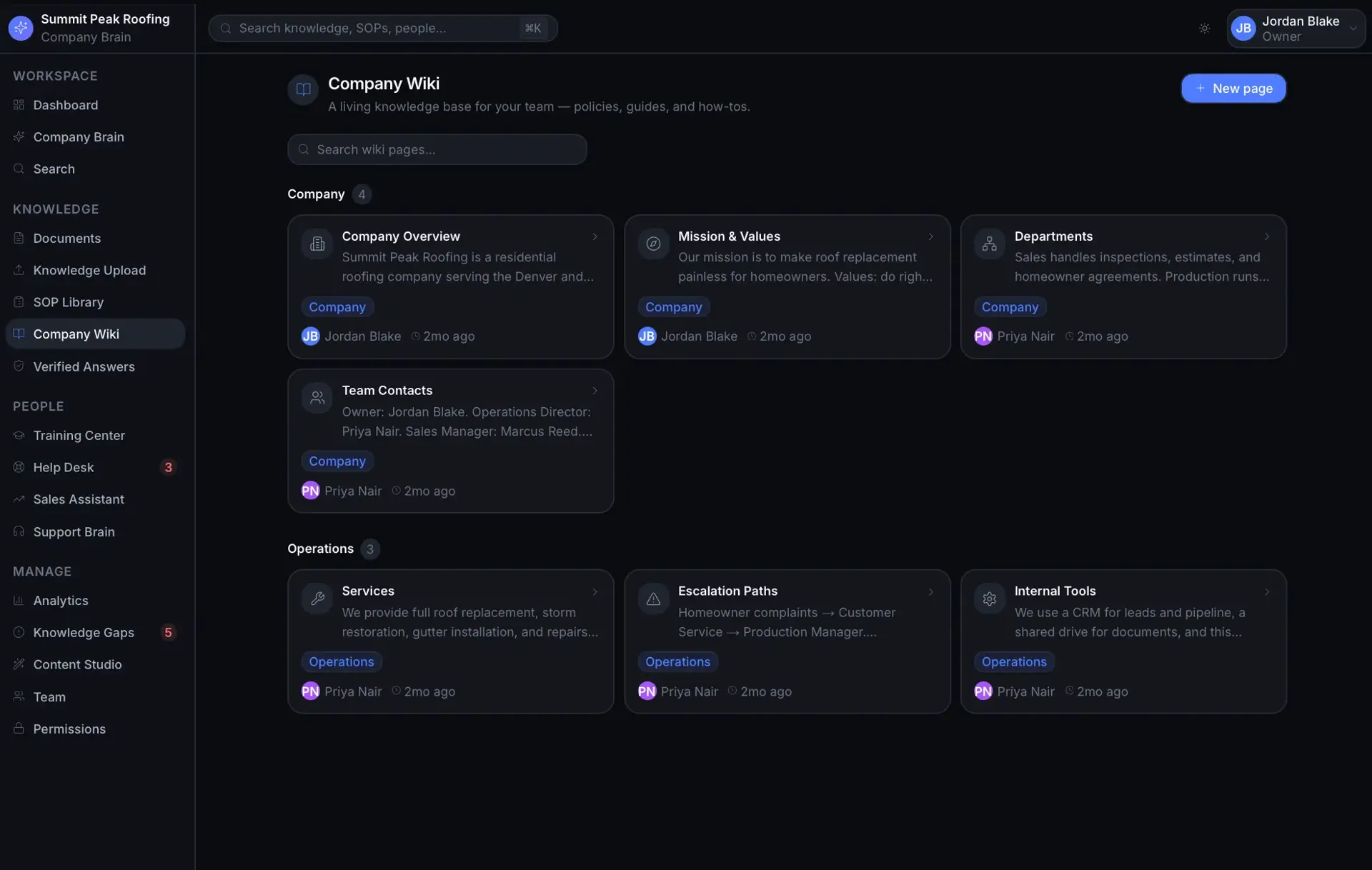
Company Wiki with Company and Operations sections of knowledge-base cards for overview, mission, departments, services, and escalation paths.
Company Wiki
Verified Answers page with a grid of approved answer cards tagged by department and marked Verified, each with reviewer and date.
Verified Answers
Training Center 'My Training' view listing training paths (onboarding, safety, service) with required/optional tags, module counts, and 0% progress bars.
Training Center
Sales Assistant page with an ask-the-brain box, a verified answer on financing, relevant SOPs, and general sales playbook guidance cards.
Sales Assistant
Customer Support Brain page with an ask box, a verified answer on storm damage leads, relevant support SOPs, and general support guidance cards.
Support Brain
Manager Analytics dashboard with stat tiles, a most-asked-questions bar list, department usage bars, and top knowledge gaps with statuses.
Manager Analytics
Knowledge Gaps page with summary tiles and a list of open unanswered questions tagged negative feedback, low confidence, and repeated question.
Knowledge Gaps
Content Studio with a guardrail notice and a grid of AI generator cards for SOP, training module, quiz, FAQ, sales script, and checklists.
Content Studio generators
Team page showing 12 members with role-count tiles and a member table listing name, title, role, department, status, and last active.
Team members
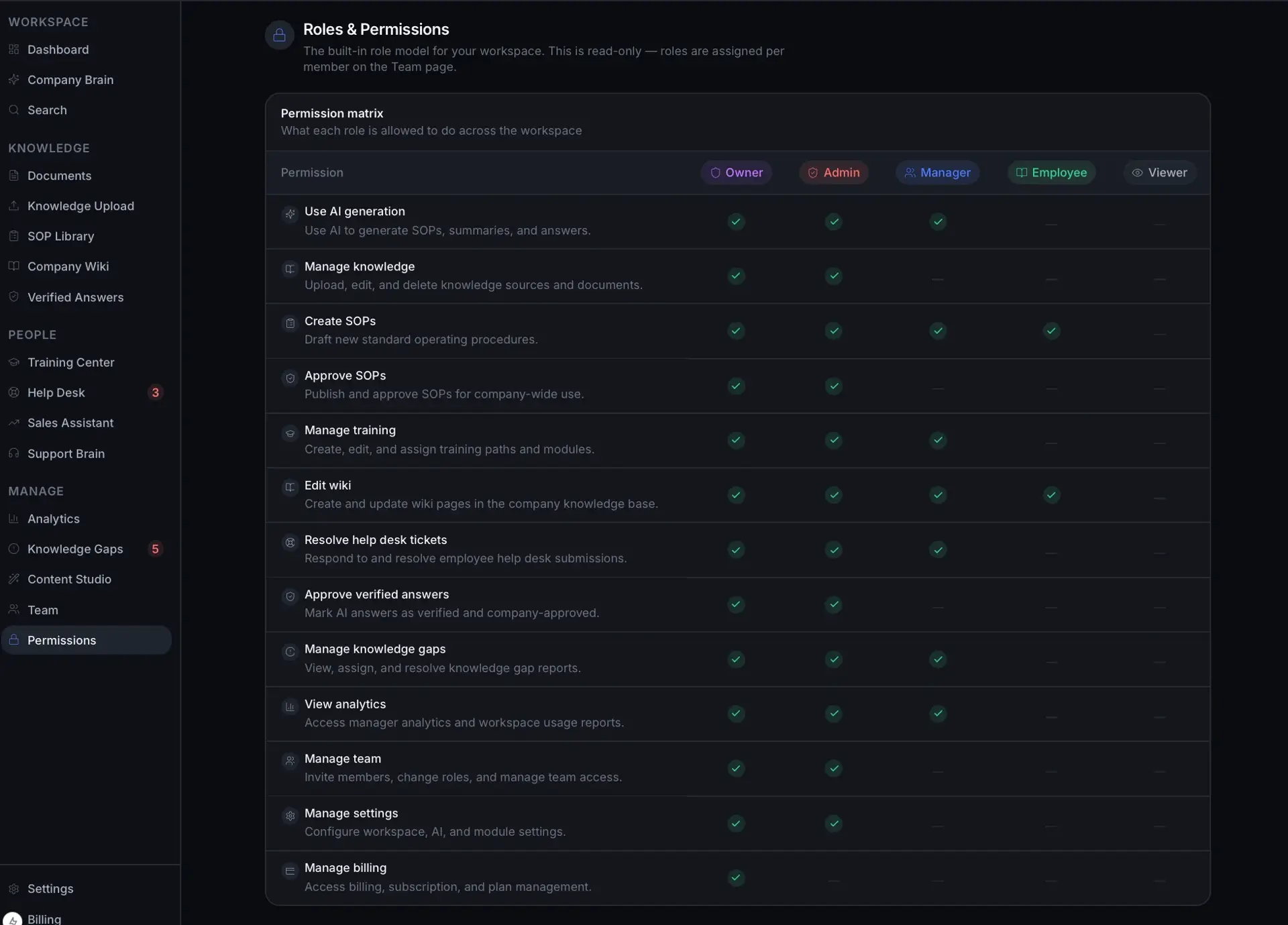
Roles & Permissions matrix showing which of Owner, Admin, Manager, Employee, and Viewer can perform each workspace action, with check marks.
Permission matrix
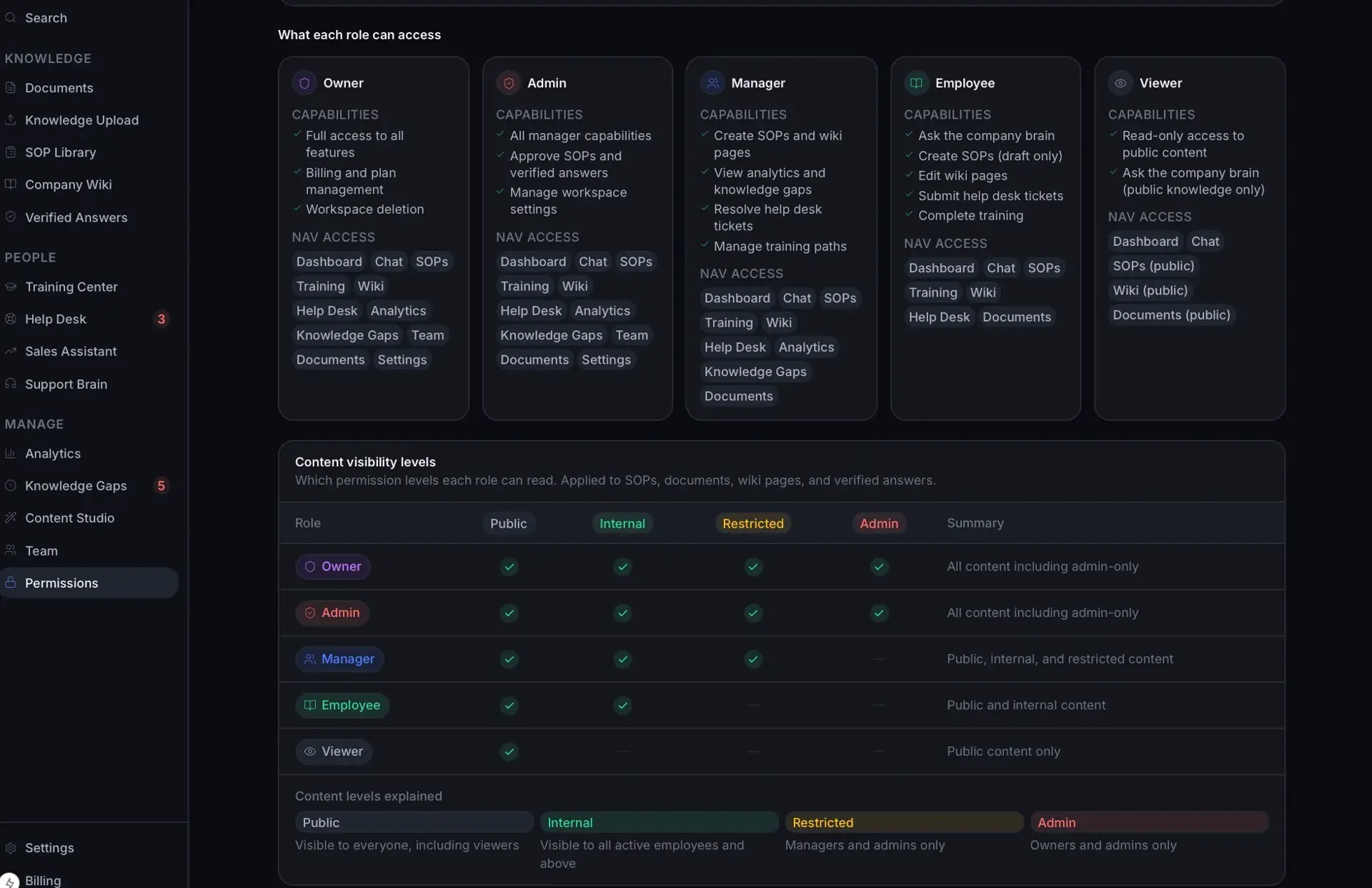
Permissions detail with per-role capability and nav-access cards and a content-visibility-levels table mapping roles to public, internal, restricted, and admin.
Role access & visibility levels
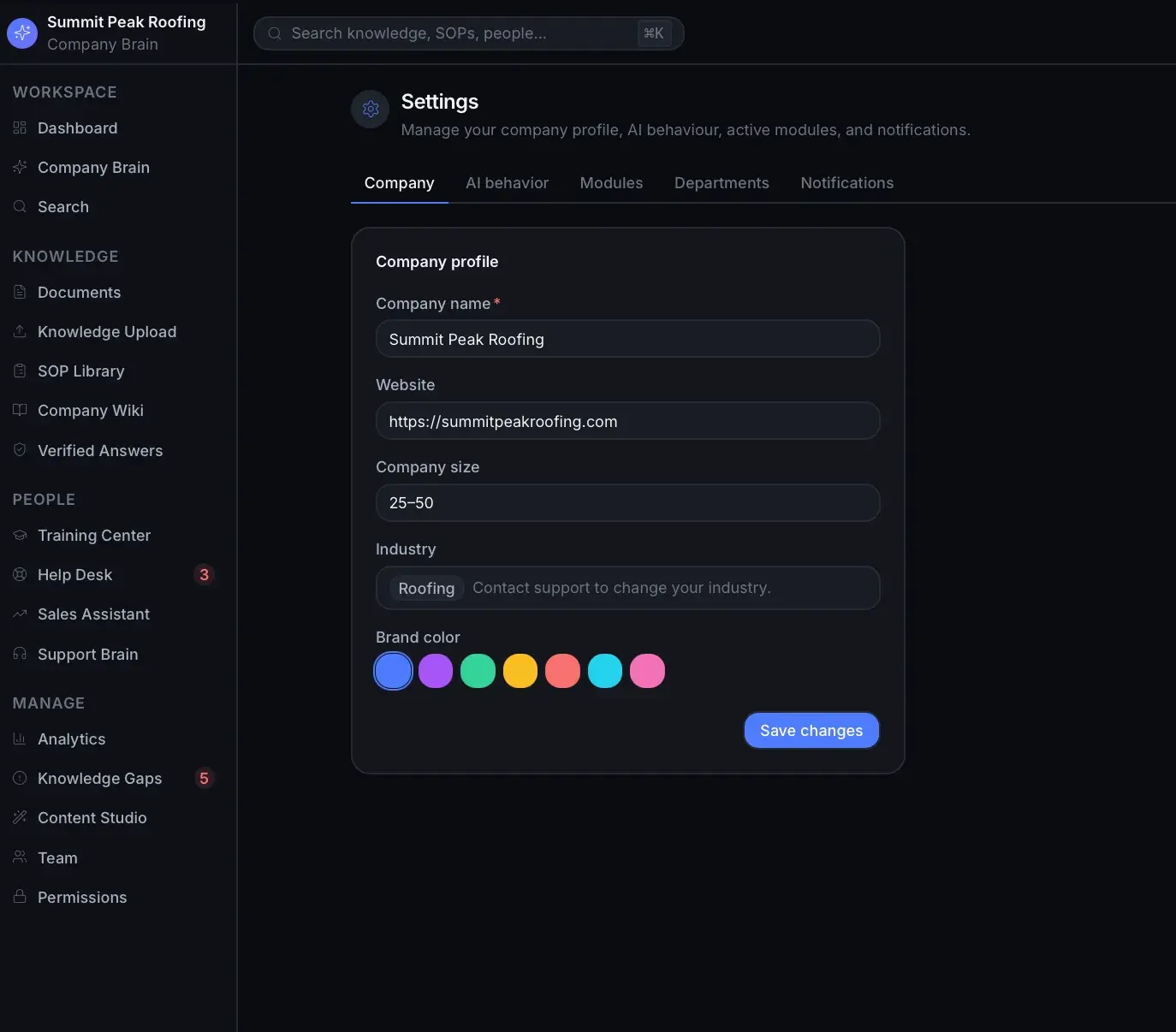
Settings Company tab with a company-profile form for name, website, size, industry, and a brand-color picker.
Settings — company profile
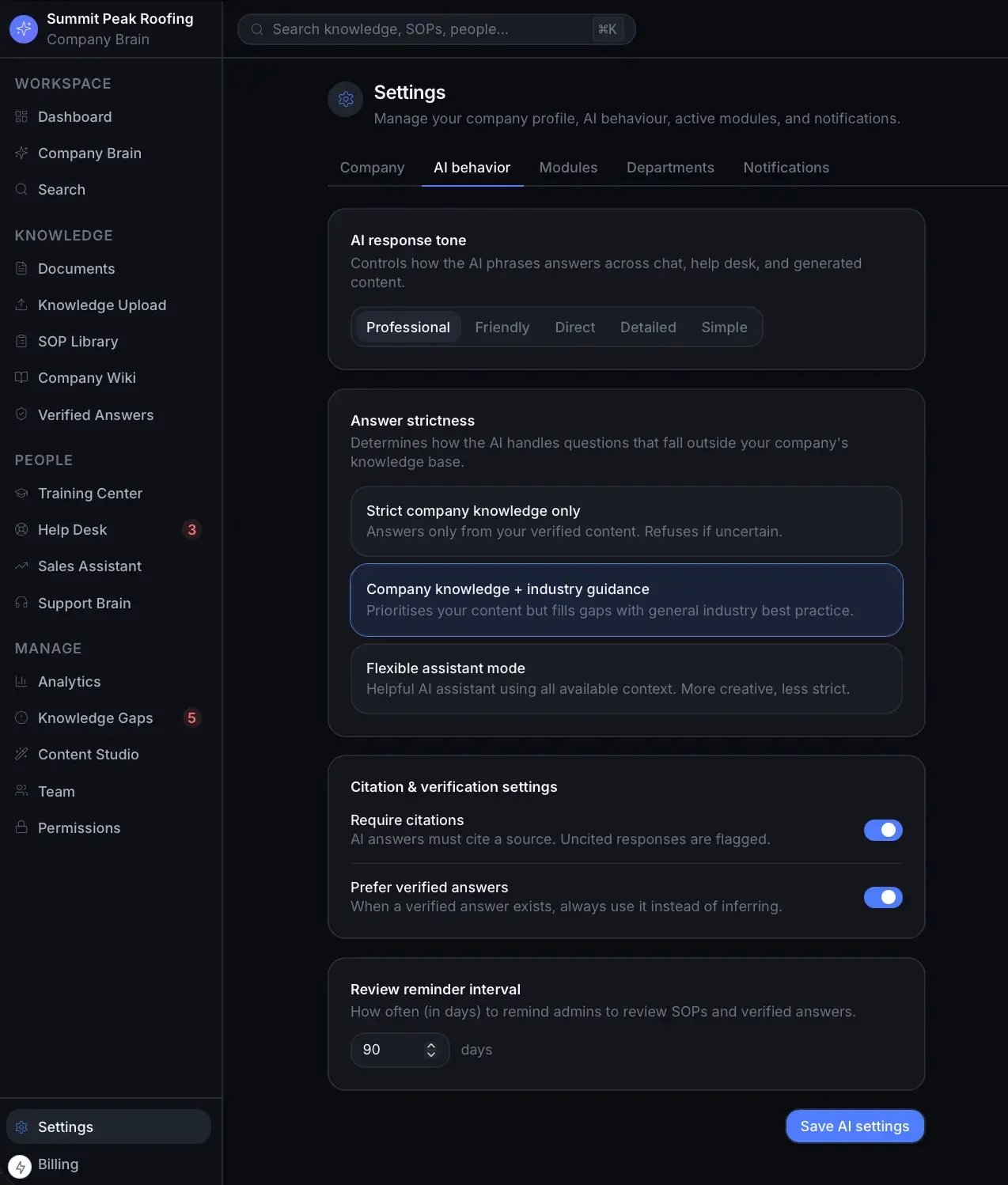
Settings AI behavior tab with response-tone options, answer-strictness modes, citation toggles, and a review-reminder interval.
Settings — AI behavior

How it is built

A Next.js/React frontend backed by Prisma over PostgreSQL (with an in-browser mock store fallback), Auth.js authentication, an Anthropic-backed AI service (deterministic mock without a key), Stripe billing, Upstash Redis for distributed rate limiting, and Sentry for error monitoring.

APIs and services

Anthropic
Stripe
Auth.js
Sentry
Resend
Upstash

Classification

Industries
Construction

Related work

AI Acquisition Hunter

In Development

An AI acquisition-intelligence platform that surfaces and scores off-market acquisition targets from public business signals.

Lifetime health passport for pets: timeline, medical records, vet snapshot, and secure sharing.

A first-pass AI diligence analyst that builds an acquisition risk profile from public data, APIs, and uploaded documents.

Building something with similar AI Automation, Search, Document OCR and Extraction functionality?

Start a project and reference this one — the conversation begins with what you have already seen.

Start a project